
Actions
Additional actions for the Shortcuts app
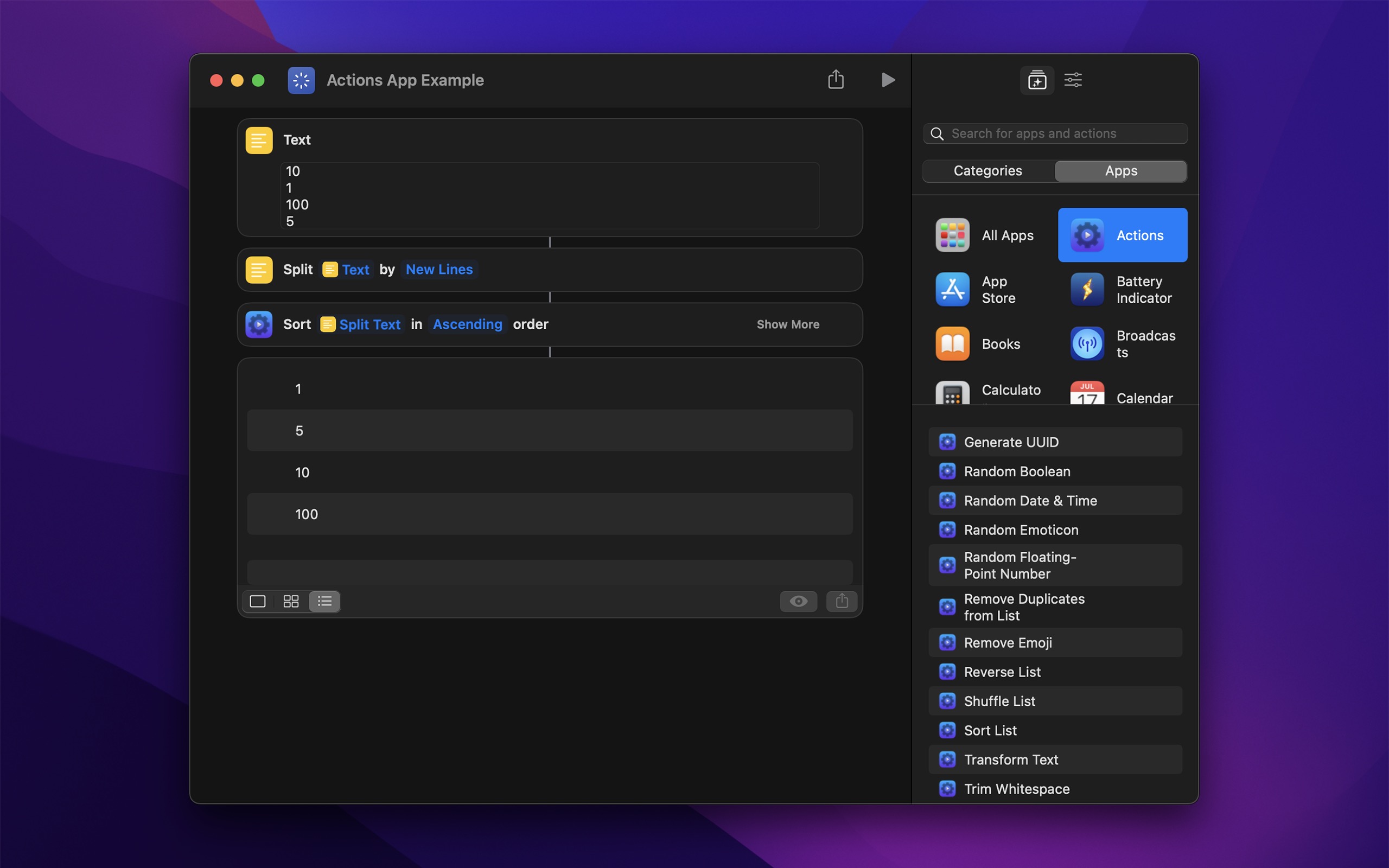
Adds 180+ free actions to the Shortcuts app on macOS, iOS, and visionOS. They do what the built-in actions cannot, and turn long shortcuts into a few steps.

Free · Available on macOS, iOS, visionOS
[…] my shortcut uses an action from the excellent free (and aptly-named) Actions utility by Sindre Sorhus.
Recent Reviews
#1 app
This essential super useful tool is a must have for any iOS user. I love making my own custom shortcuts and learning how to utilize my phone efficiently.
Should Be OS Included
Absolute necessity for anyone interested in utilizing shortcuts. Apple should include these features by default. Unbelievably great and seamless. Developer deserves 5 stars.
Great
Gives so many options. I wish that they didn’t have to open the app when they are run in a shortcut but there’s probably no other way.
Awesome app for shortcuts :)
It’s really good and smooth, and has a colour picker which I very much needed for one of my shortcuts. One thing though, when you go in the app to do some actions, it shows the menu for a second then goes to the action you want to do.
IMPORTANT
Restart your device if the actions do not show up in the Shortcuts app. Learn more ›
If you have any questions about how to use the different actions or for what, try asking the Actions GPT bot. And if you want to feed your own AI, here is the source data.
TIP
On macOS, also check out Shortcutie for advanced actions and Short Run for running shortcuts from the menu bar.
Included actions
- Add to List
- Apply Capture Date
- Ask for Duration
- Ask for Input with Dialog Show a dialog with a text field and multiple buttons. Returns both the entered text and which button was tapped, with support for timeout, custom icon (macOS), image, and destructive button styling. You can disable the text field to just have a confirmation dialog.
- Ask for Text with Timeout
- Authenticate
- Blur Images
- Boolean
- Calculate Bearing Get the compass direction between two coordinates.
- Calculate Distance
- Calculate String Distance Damerau-Levenshtein distance for fuzzy search, typo detection, deduping, and matching names or identifiers.
- Calculate with Soulver
- Choose from List (Extended)
- Clamp Number
- Clean Zip Removes .DS_Store files and __MACOSX directories from a ZIP archive. Useful when sharing ZIP files with non-Mac users.
- Color
- Combine Audio Files
- Combine Lists
- Combine Videos
- Convert Coordinates to Location
- Convert Date to Reference Timestamp
- Convert Date to Unix Timestamp
- Convert Location to Geo URI
- Convert Number Base Convert between binary, octal, decimal, and hexadecimal.
- Convert Reference Timestamp to Date
- Convert Text File Encoding Convert text files between character encodings (UTF-8, Shift-JIS, Windows-1252, etc.) with automatic source detection.
- Convert Unix Timestamp to Date
- Counter Atomic counter. Use cases: avoid races in concurrent automations, rate-limit runs, store progress (“step-3”), track daily counts.
- Create Color Image
- Create Duration
- Create Gradient Color Image
- Create Menu Item
- Create Temporary Folder Creates a unique temporary folder.
- Create URL
- Create URL Shortcut File
Create
.urlor.weblocfiles that open websites when double-clicked. Primarily for macOS. - Delete Empty Contacts Deletes contacts that have no name, phone number, email, or any other data.
- Download File
- Edit URL
- Encode Property List Convert a Shortcuts dictionary or JSON file into an XML or binary property list file.
- Encrypt File
- Encrypt Text
- Filter List
- Filter List of Dictionaries
- Find Music Playlist (iOS-only)
- Find Wi-Fi Network (macOS-only)
- Find Workout (iOS-only) Returns workouts from the Health app, including workout type, duration, source details, and metrics like active calories, heart rate, etc.
- Find Points of Interest Find nearby places matching a query around a location.
- Flash Screen (macOS-only)
- Format Currency
- Format Date Difference
- Format Duration
- Format Number as Ordinal
- Format Number — Compact
- Format Person Name
- Format Text List
["A", "B", "C"]→A, B, and C - Format URL Formats a URL into text with customizations of what to show.
- Generate CSV
- Generate Emojis
- Generate Haptic Feedback (iOS-only)
- Generate Random Data
- Generate Random Text
- Generate SOML Generate a SOML config file from a dictionary.
- Generate UUID
- Get All System Colors
- Get Audio Playback Destination (iOS-only)
- Get Average Color
- Get Average Color of Image
- Get Battery State
- Get Bluetooth Device
- Get Bluetooth Devices
- Get Boolean from Input
- Get Compass Heading (iOS-only)
- Get Contents of URL (Extended) Enhanced HTTP requests with complete response details (status codes, headers, all methods) instead of just the response body like the built-in action, and also timeout.
- Get Date Added of File Returns the date when a file was added to its parent folder.
- Get Dates in Range Returns all dates between two dates filtered by type. For example, get all Mondays between two dates, or list every weekend in a month.
- Get Default Browser (macOS-only)
- Get Default Gateway IP Address Returns the default gateway IP address for the current network, usually the router address on Wi-Fi or Ethernet.
- Get Device Details (Extended)
- Uptime (not including sleep)
- Uptime (including sleep)
- Active processor count
- Physical memory
- Time zone
- Hostname
- Thermal state
- Total storage capacity
- Available storage capacity
- Battery condition (macOS-only)
- Battery health (macOS-only)
- Serial number (macOS-only)
- Get Device Motion Activity (stationary, walking, running, cycling, automotive, etc.)
- Get Device Motion Data (iOS-only)
- Get Device Orientation
- Get Dominant Colors of Image
- Get Barometric Pressure (iOS-only) Returns the current barometric pressure from the device’s built-in barometer.
- Get Elevation (iOS-only)
- Get Emojis
- Get/Set Extended Attribute Returns or sets an extended attribute for a file.
- Get Extended Attribute Names Returns the names of the extended attributes on a file or folder.
- Get File Path
- Get Folder Size Returns the size of a folder, including files in subfolders. Use “Format File Size” to format the result.
- Get High-Resolution Timestamp
- Get Image URLs from Web Page Extracts image URLs from a web page and returns them without downloading.
- Get Images from Web Page Extracts images from a web page and returns them as files.
- Get Index of List Item
- Get Map Image of Location
- Get Media Metadata
- Get Meta Tags of URL Extract meta tags (title, description, Open Graph, etc.) from a webpage.
- Get Modifier Key State (macOS-only)
- Get Paragraphs from Text
- Get Printers (macOS-only)
- Get Query Item Value from URL
- Get Query Items from URL
- Get Query Items from URL as Dictionary
- Get Random Boolean
- Get Random Color
- Get Random Date and Time
- Get Random Emoticon
- Get Random Floating-Point Number
- Get Random Number from Seed
- Get Raw Media Metadata
- Get Related Words
- Get Running Apps (macOS-only)
- Get Sentences from Text
- Get SF Symbol Image
- Get System Color
- Get Title of URL
- Get User Details
- Username (macOS-only)
- Full Name
- Given Name
- Family Name
- Initials
- Shell
- Language Code
- Idle Time (macOS-only)
- Administrator Status (macOS-only)
- Get Values Using JSONPath
- Get/Set Default Printer (macOS-only)
- Get/Set File Extension Visibility (macOS-only) Check and control whether file extensions are shown in Finder for specific files. Only works if the “Show all filename extensions” Finder setting is disabled.
- Get/Set File Icon (macOS-only) Get the icon of files and folders or set custom icons for them.
- Get/Set File Tags
- Get/Set Image/Video Capture Date
- Get/Set Image/Video Location
- Get/Set Uniform Type Identifier
- Global Variable
- Hex Encode
- Hide Shortcuts App
- Invert Dictionary
{"en": "Hello", "es": "Hola"}→{"Hello": "en", "Hola": "es"} - Invert Images
- Is 24-Hour Time Format
- Is Accessibility Feature On
- Is Audio Playing (iOS-only)
- Is Bluetooth Device Connected
- Is Bluetooth On
- Is Call Active (iOS-only)
- Is Camera On (macOS-only)
- Is Cellular Data On
- Is Cellular Low Data Mode On
- Is Conforming to Uniform Type Identifier
- Is Connected to VPN (iOS-only)
- Is Dark Mode On
- Is Day
- Is Device Locked
- Is Device Moving
- Is Device Orientation
- Is Host Reachable
- Is Location Services Enabled
- Is Low Power Mode On
- Is Microphone On (macOS-only)
- Is Online
- Is Screen Locked (macOS-only)
- Is Screen Saver Active
- Is Shaking Device
- Is Silent Mode On (iOS-only)
- Is Time
- Is Time In Range
- Is True Check if boolean values satisfy a logical condition: all true (AND), all false (NOR), any true (OR), any false (NAND), or exactly one true (XOR). Supports up to 10 values.
- Is Web Server Reachable
- Is Wi-Fi On (macOS-only)
- Join Wi-Fi (iOS-only)
- Keychain Securely stores a value in the device keychain. Useful for sensitive data like API keys, tokens, and passwords. Can be synced.
- Make Live Photo from Video
- Make Markdown Table
- Manage Shortcut Lock Prevents multiple instances of a shortcut from running simultaneously
- Merge Dictionaries
- Named Clipboard (macOS-only)
- Normalize URL Clean up URLs by lowercasing scheme and host, removing default ports, optional query/fragment removal, text-fragment cleanup, etc.
- Open URLs in Safari
- Open URLs with App (macOS-only) For example, open URLs in a specific browser.
- Overwrite File
- Overlay Image (Extended) Overlay an image on top of another one with blend modes, opacity, rotation, flipping, and precise positioning.
- Parse CSV
- Parse JSON5
- Parse Markdown Table
- Parse SOML Parse a SOML config file into a dictionary, with durations as seconds.
- Pick Color Pick a color using the system color picker, optionally from a reference image.
- Ping
Ping a host using ICMP, similar to the
pingcommand-line tool, and get statistics including average/min/max round-trip time and packet loss. - Play Alert Sound (macOS-only)
- Play Media with Controls Play media from a URL or file with in-app playback controls, and optionally wait until playback ends.
- Pretty Print Dictionaries
- Read/Write NFC Tag (iOS-only) Read the identifier and content of an NFC tag, or write text or a URL to it.
- Remove Dictionary Values
- Remove Duplicate Lines
- Remove Duplicates from List
- Remove Emojis
- Remove Empty Lines
- Remove from List
- Remove Non-Printable Characters
- Reverse Lines
- Reverse List
- Round Number to Decimal Places
3.14159→3.14 - Round Number to Multiple
- Run cURL Command Execute an HTTP request from a cURL command string. Simply paste a cURL command from Postman, Swagger, or browser dev tools. Supports common options like headers, body data, authentication, redirects, and more.
- Sample Color from Screen (macOS-only)
- Scan Barcodes in Image
- Scan Documents (iOS-only)
- Scan QR Codes in Image
- Send Distributed Notification (macOS-only)
- Set Capture Date of Photos Change the capture date of photos and videos directly in your Photos library.
- Set Creation and Modification Date of File
- Set Dictionary Value Using JSONPath
- Set Location of Photos Change the location of photos and videos directly in your Photos library.
- Show Black Screen (iOS-only)
- Show Notification
- Show Overlay Display large centered text on a fullscreen overlay. Supports plain text with custom colors and HTML mode for custom styling. The overlay stays until tapped or an optional duration expires.
- Shuffle List
- Sign JSON Web Token Signs a JSON payload as a JWT using HS256.
- Sort List
- Sort List of Dictionaries
- Sort Months
- Spell Out Number
- Toggle Boolean
- Transform Lists
- Transform Text
- Camel case
- Pascal case
- Snake case
- Constant case
- Dash case
- Slugify
- Strip punctuation
- Strip quotation marks
- Strip HTML
- Strip diacritics
- JSON Escape
- Transliterate to Latin
- Transliterate Latin to Arabic
- Transliterate Latin to Cyrillic
- Transliterate Latin to Greek
- Transliterate Latin to Hebrew
- Transliterate Latin to Hangul
- Transliterate Latin to Hiragana
- Transliterate Latin to Thai
- Transliterate Hiragana to Katakana
- Transliterate Mandarin to Latin
- Transform Text with JavaScript
- Trim Text Keep or drop a number of lines or characters from the start or end of text.
- Trim Whitespace
- Truncate List
- Truncate Number
- Truncate Text
- Use System Font in Rich Text
- Wake on LAN (macOS-only) Wake a sleeping computer or network device by sending a Wake on LAN magic packet.
- Wait for Distributed Notification (macOS-only)
- Wait Milliseconds
- Write or Edit Text
Want more shortcut actions?
- Run shortcuts from the menu bar or silently in the background via URL scheme → Short Run
- High-quality transcription (speech to text) in 100 languages → Aiko
- Trigger shortcuts on your Mac from your iOS device → Hyperduck
- Set default browser → Supercharge & Default Browser
- Use the ChatGPT API, Ollama, Groq → AI Actions
- Show text in menu bar → One Thing
- Open URLs in a specific browser → Velja
- Remove tracking parameters from URLs → Velja & Pure Paste
- Check if online → Online Check
- Generate images from text with AI locally → Imago
- Clear clipboard formatting → Pure Paste
- Get internet speed → Speediness
- Join video calls → Dato
- Put text on the iOS Lock Screen → Any Text
- Preview app icons → Icon Preview
- Get clipboard items → Pasteboard Viewer
Impossible actions
Some common action requests that are not possible:
- Reading what’s on the screen
- Current text selection
- Orientation lock status
- Flashlight status
- Ambient sensor info
- Flight mode status
- Hotspot status
- Hotspot connect/disconnect
- All audio playback destinations
- CarPlay connection status
- Notifications in CarPlay
- Media volume
- More accessibility checks (like reduce white point)
- If charging wirelessly
- Get multiple representation from an item
Anything related to changing system features/settings or interacting with other apps is generally not possible.
For these, I recommend sending a feature request to Apple.
Already exists
- Is Wi-Fi On (iOS): Already possible with the built-in “Get Network Details” action.
- Wi-Fi Strength: Already possible with the built-in “Get Network Details” action.
Declined actions
- Imgur: I generally don’t want to integrate with services. They cause a huge support burden, either by being unreliable, breaking the API, shutting down, and other things.
Tips
URL Scheme
The app supports the actions:// URL scheme that can be used to open the app.
Frequently Asked Questions
I have a feature request, bug report, or some feedback
Click the feedback button in the app or send it here.
The actions don’t show up in the Shortcuts app
This is caused by an iOS/macOS bug.
Some things you could try:
- Restart your device.
- Change the device language to something else and back.
- Add this shortcut, run it once, relaunch Shortcuts, and see if the actions show up in the Shortcuts app after that.
- Add this shortcut, copy the action, paste it into a new shortcut, and relaunch Shortcuts.
- Remove the app, install it again, and restart your device.
Please don’t contact me about this issue. This is a problem with iOS/macOS and out of my control.
How can I prevent the app from being offloaded when I have “app offloading” enabled on iOS?
iOS does not have a way to prevent individual apps from being offloaded (even though it should!) and there is no way for apps to tell iOS not to offload them. I recommend sending feedback to Apple about this. You could try this workaround.
Can the “Show Notification” action send critical alerts?
No. I applied for Apple’s Critical Alerts entitlement, but it was declined. Critical Alerts are reserved for very limited use cases such as medical, health, home security, and public safety notifications. General-purpose automation apps like Actions are not eligible.
Why is this free without ads?
I just enjoy making apps. Consider leaving a nice review on the App Store.
Older Versions
Non-App Store Version
A special macOS version for users that cannot access the App Store. It won’t receive automatic updates. I will update it here once a year.
Download (4.0.1 · macOS 26+)
Get Actions
Additional actions for the Shortcuts app
Free