
Pasteboard Viewer
Inspect the system pasteboards
A developer utility that shows the contents of the system pasteboards live, with previews of text, RTF, images, and anything that has a Quick Look preview.

Free
- Requires macOS, iOS, or visionOS 26 or later
- Since 2020
- No data collected
Scan with your iPhone to open Pasteboard Viewer on the App Store
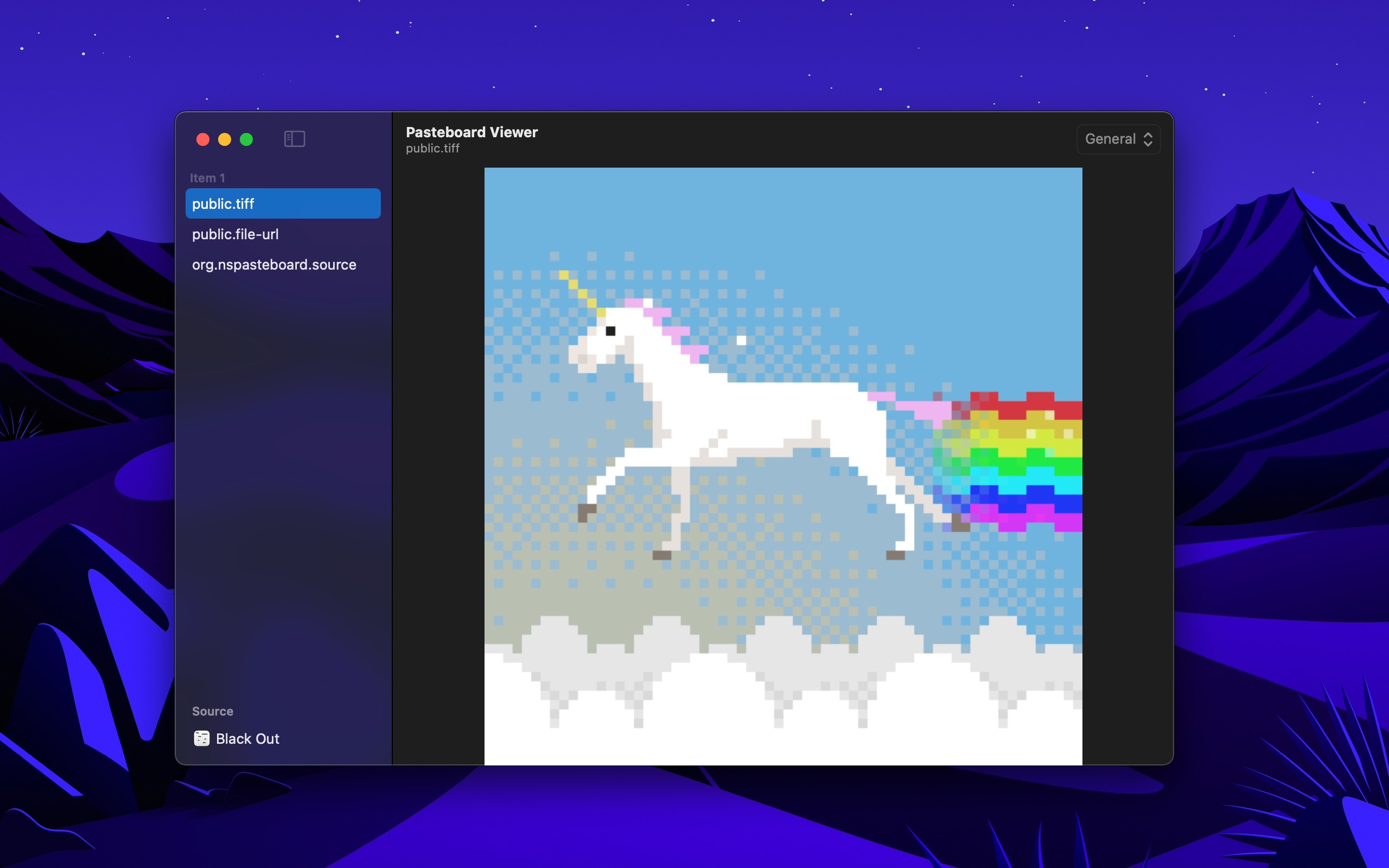
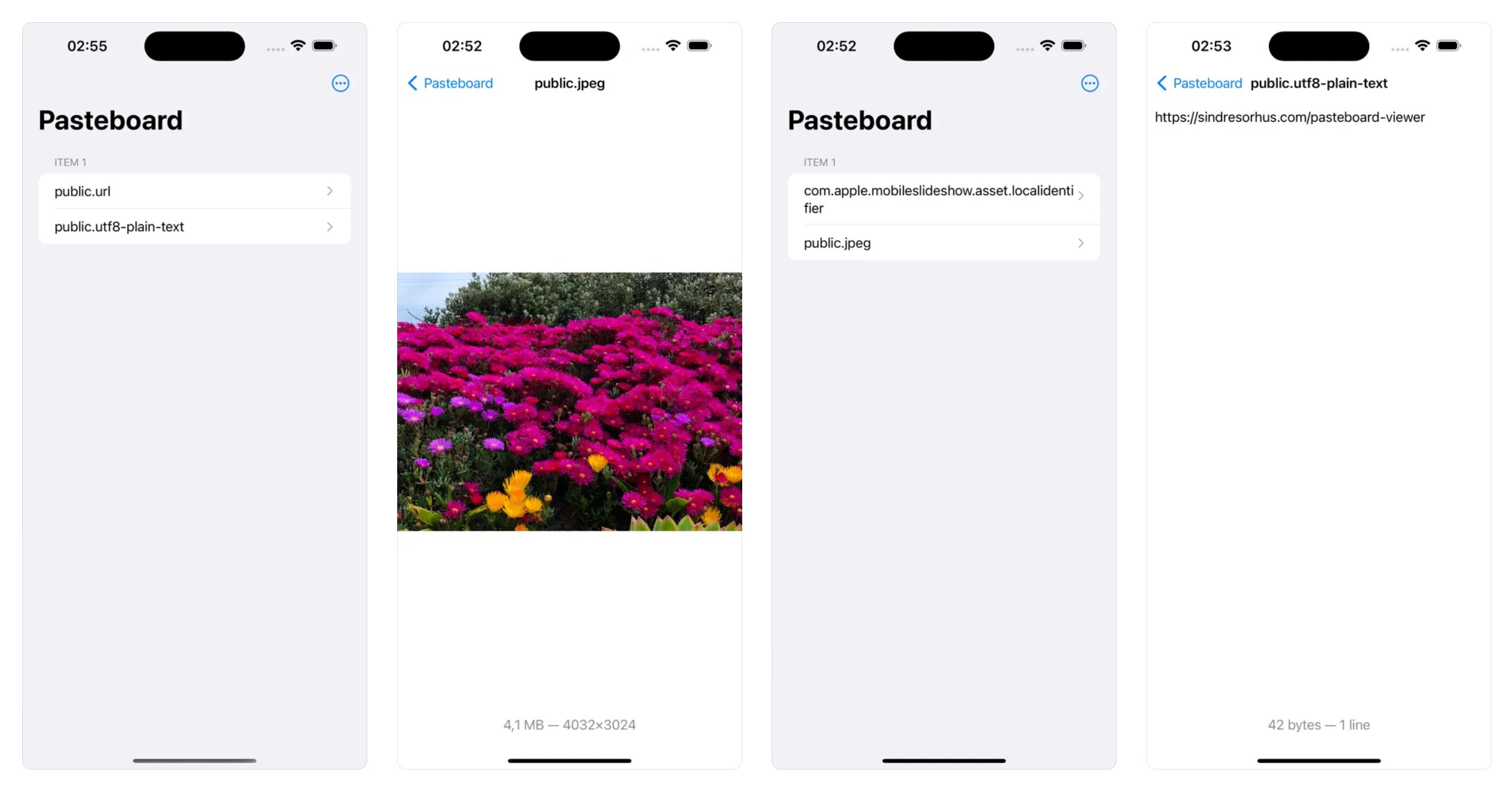
The sidebar lists the types of the current item, like public.url. Select a type to see its content. A dyn. type shows the type it stands for below its name.
Use it to check that your app puts the correct data on NSPasteboard or UIPasteboard.
Note that this is not a clipboard manager. If you are not a developer, you probably don’t want this app. To only see the text or image on the clipboard, select “Edit › Show Clipboard” in Finder. To see what you copied before, use Spotlight on macOS 26 or later: press CommandSpace, and then Command4.
What users say
Great app!
Thoroughly enjoying this. Has been very helpful for developing my app. Very clean and simple interface.
Essential for developers
This app is my goto tool for inspecting what’s in my pasteboard.
Exactly what I needed
This app is a godsend, showing the different items on the clipboard, in the different formats. Super helpful when debugging pasteboard functionality.
Wonderful app
Just what is needed. Nothing more and nothing less.
Frequently Asked Questions
I have a feature request, bug report, or some feedback
Click the feedback button in the app or send it here.
Can it show what I copied before?
No, it only shows what is on the clipboard now. On macOS 26 and later, Spotlight has a clipboard history: press CommandSpace, and then Command4. The first time, click “Allow”.
How do I stop the paste prompt?
The system asks before an app can read the pasteboard. To always allow it:
macOS: Allow the app in “System Settings › Privacy & Security › Paste from Other Apps”.
iOS: Go to “Settings › Apps › Pasteboard Viewer › Paste from Other Apps” and choose “Allow”.
Why is this free without ads?
I just enjoy making apps. Consider leaving a nice review on the App Store.
Older Versions
- 2.11.0 for macOS 15+
- 2.8.0 for macOS 14+
- 2.5.1 for macOS 13+
- 2.4.1 for macOS 12+
- 2.2.2 for macOS 11+
- 1.5.2 for macOS 10.15+
Non-App Store Version
A special macOS version for users that cannot access the App Store. It won’t receive automatic updates. I will update it here once a year.
Get Pasteboard Viewer
Inspect the system pasteboards
Free
- Platforms
- macOS, iOS, visionOS
- Requires
- macOS, iOS, or visionOS 26 or later
- Category
- Developer Tools
- Released
- February 2020
- Privacy
- No data collected
- Updated
- March 2026
- Version
- 2.12.0
- Size
- 7 MB
- US App Store rating
- 5.0/5 (20 ratings)