
Imago
Generate images from text using Flux 2
Describe the image you want, and the app makes it for you.

Free · Available on macOS
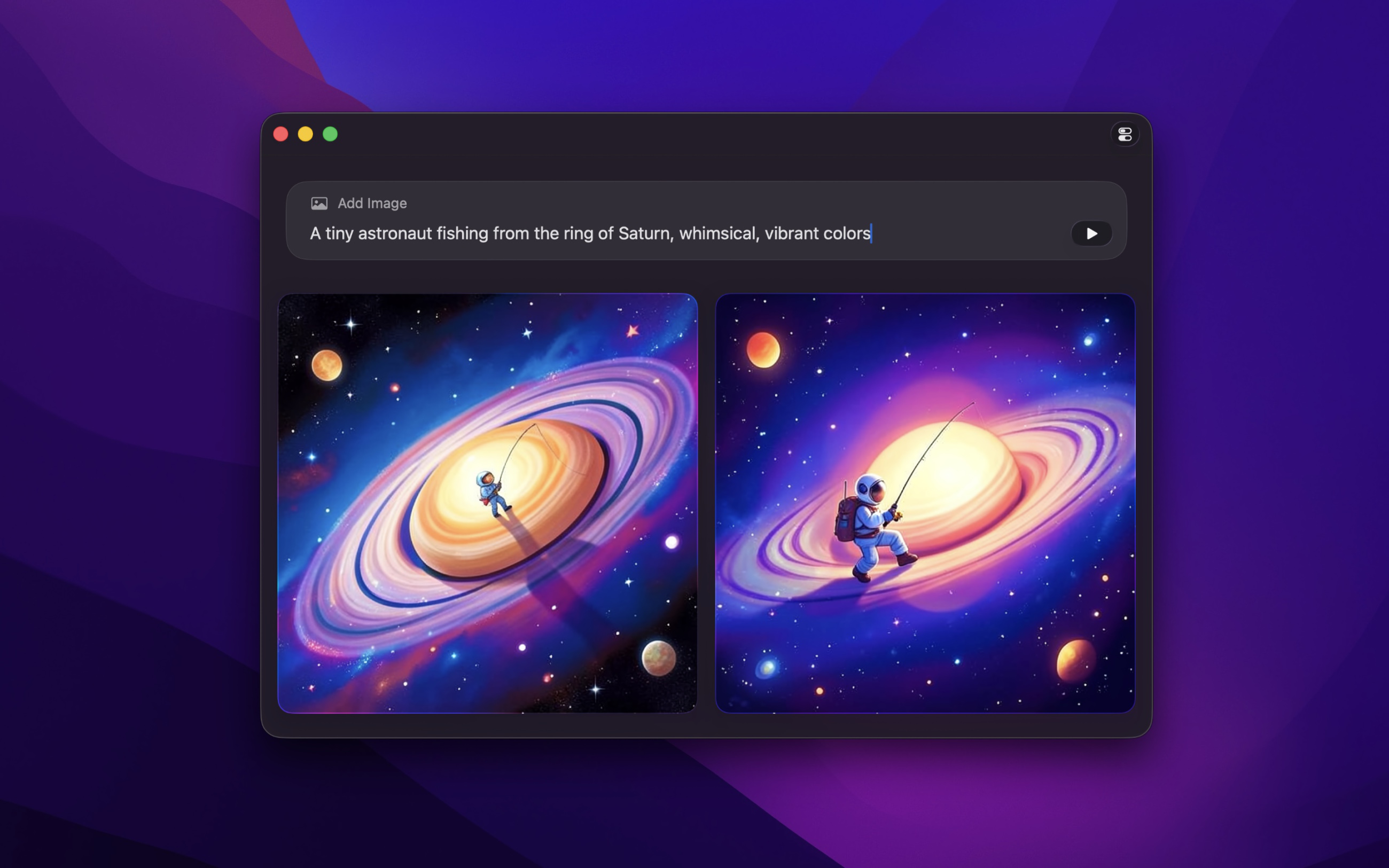
It runs locally on your device. It uses the FLUX.2 [klein] 4B model.
This app is focused on simplicity. No custom models, no complicated settings, no workflow editors. Just type a prompt and get an image. If you need fine-grained control, custom models, or advanced workflows, check out ComfyUI. Imago is for everyone else.
IMPORTANT
Requires an Apple silicon Mac (no Intel), minimum 16 GB RAM, and 20 GB free disk space.
Flux is a deep learning, text-to-image model used to generate detailed images conditioned on text descriptions.
Tips
Preview
Click a thumbnail to view a larger version of it. Click again to exit.
Keyboard shortcuts
When in preview mode, there are some keyboard shortcuts available:
- ◀ — Previous image
- ▶ — Next image
- Space — Save image
- CommandC — Copy image
- Esc — Exit preview
Metadata
When you save a generated image, it includes a lot of useful metadata (prompt, model, etc). You can view this in Finder by right-clicking the image file and selecting “Get Info”. The file also includes some relevant tags which can be used to create smart folders.
Frequently Asked Questions
I have a feature request, bug report, or some feedback
Click the feedback button in the app or send it here.
Why does the app require Apple silicon for Macs?
The AI model is optimized for Apple silicon. It would be unusably slow on Intel Macs.
What are the usage restrictions for the generated images?
You can use the images for commercial or non-commercial purposes, but you must follow the usage restrictions defined for FLUX.2. These include not using the images for illegal activities, deception or misinformation, harassment, discrimination, exploitation or abuse, misuse of personal data, non-consensual imagery, or other harmful uses.
Can you support custom models?
I don’t plan to support this. This app is intentionally simple. There are many other apps that support custom models.
Why can it not generate adult images?
The app would not be allowed on the App Store if it allowed creating such images.
Why does it take so long to generate?
Several factors can affect the speed of image generation, including the performance of your device and the amount of available memory and CPU. Try closing down other apps or restarting your device before generating images.
And bear in mind that the initial generation after installing the app may take longer due to model validation.
Why does the app take up so much space on disk and memory?
The AI model used to generate images is large. This is reasonable given the model’s capabilities.
How can I remove Imago and the Flux model entirely?
First, open the app and click “Show Model Folder” in the settings to reveal the model in Finder, then delete that folder (~20 GB). After that, delete the app from your Applications folder as usual.
Why is this free without ads?
I just enjoy making apps. Consider leaving a nice review on the App Store.
Non-App Store Version
A special version for users that cannot access the App Store. It won’t receive automatic updates. I will update it here once a year.
Download (1.0.1)
Requires macOS 26 or later
Get Imago
Generate images from text using Flux 2
Free