
Mailway
Route mailto links to any email app or webmail
Click an email address on a website or in an app, and it opens in the email app or webmail you use, like Gmail, instead of Apple Mail.

$4, one-time purchase · Available on macOS
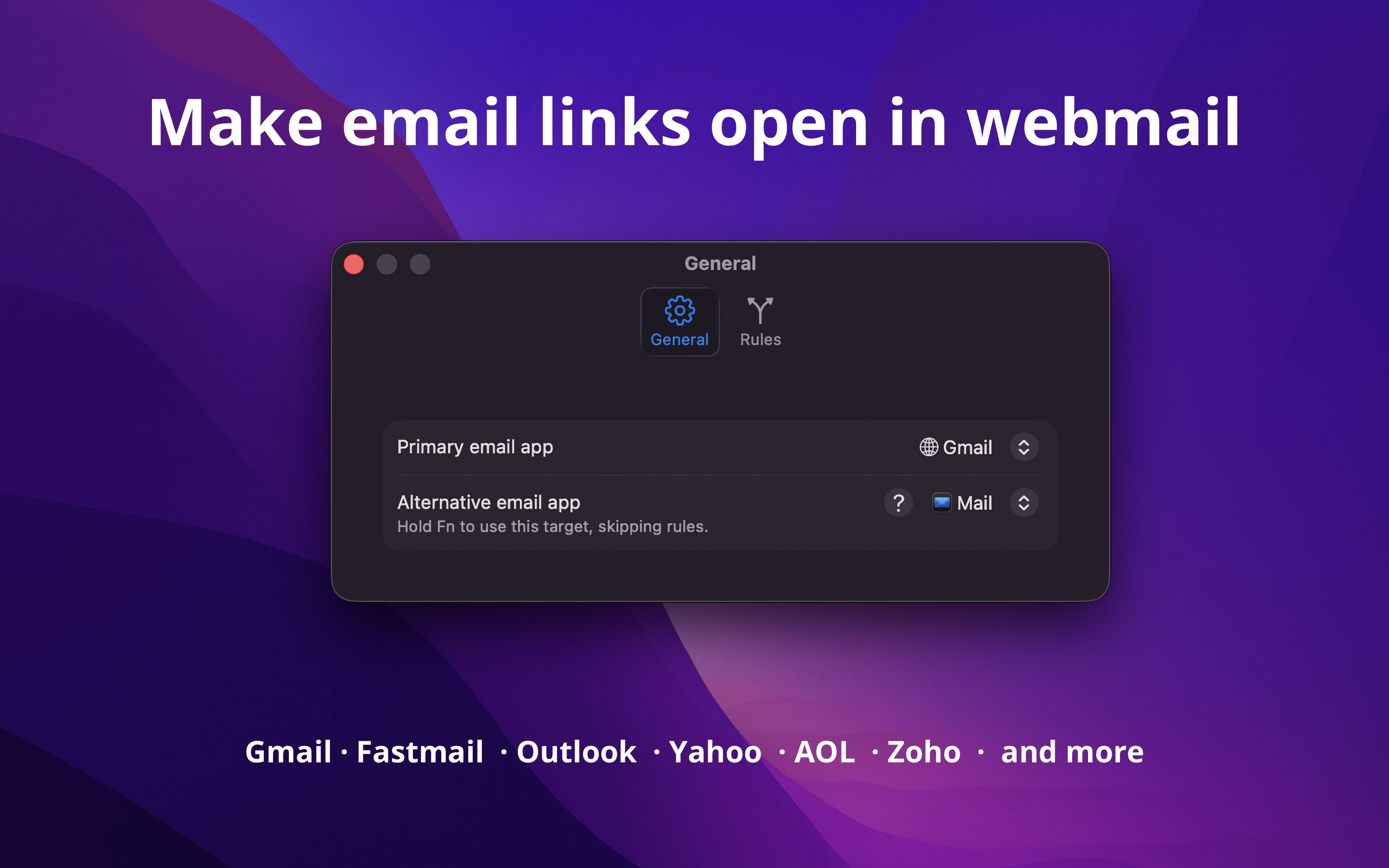
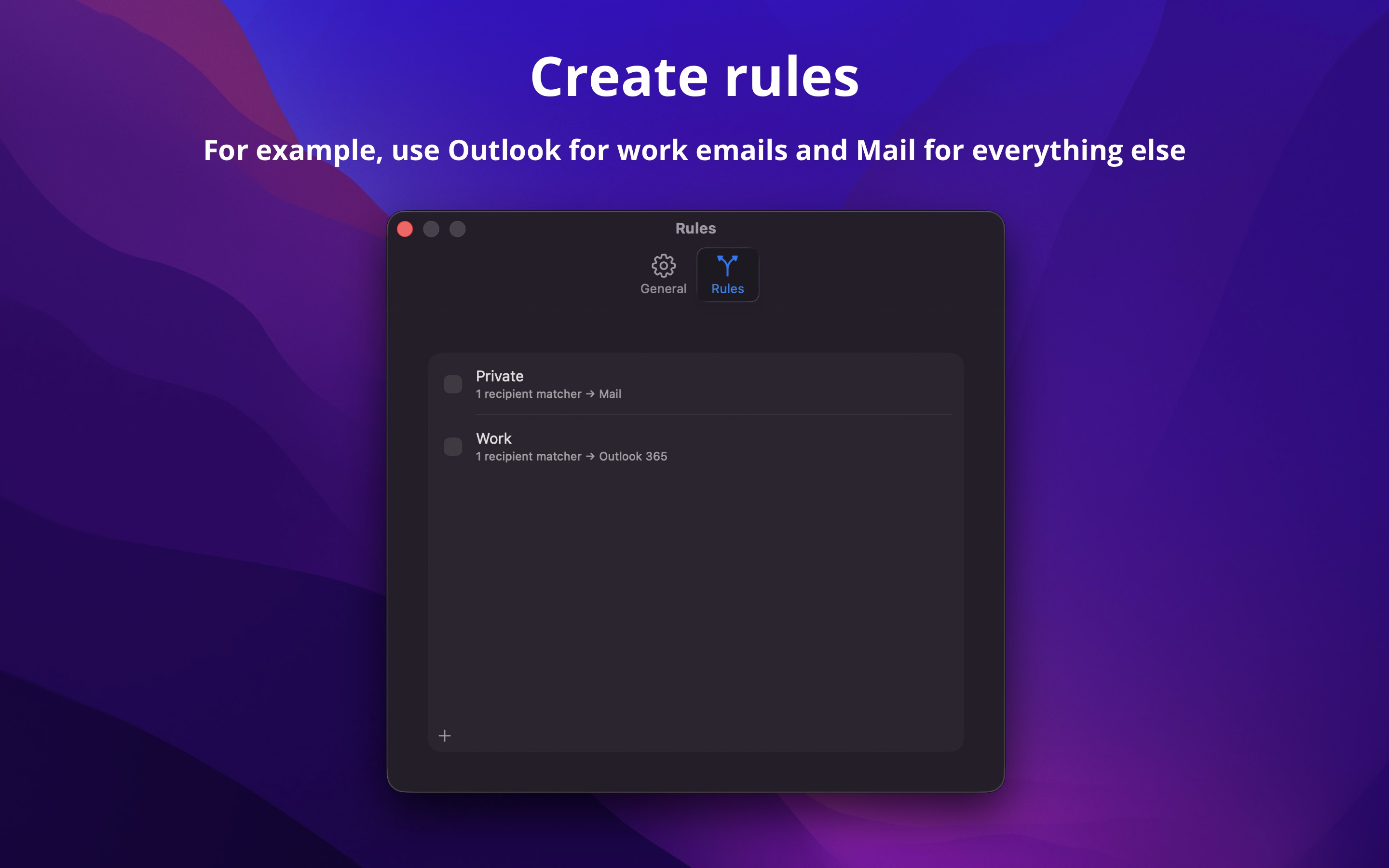
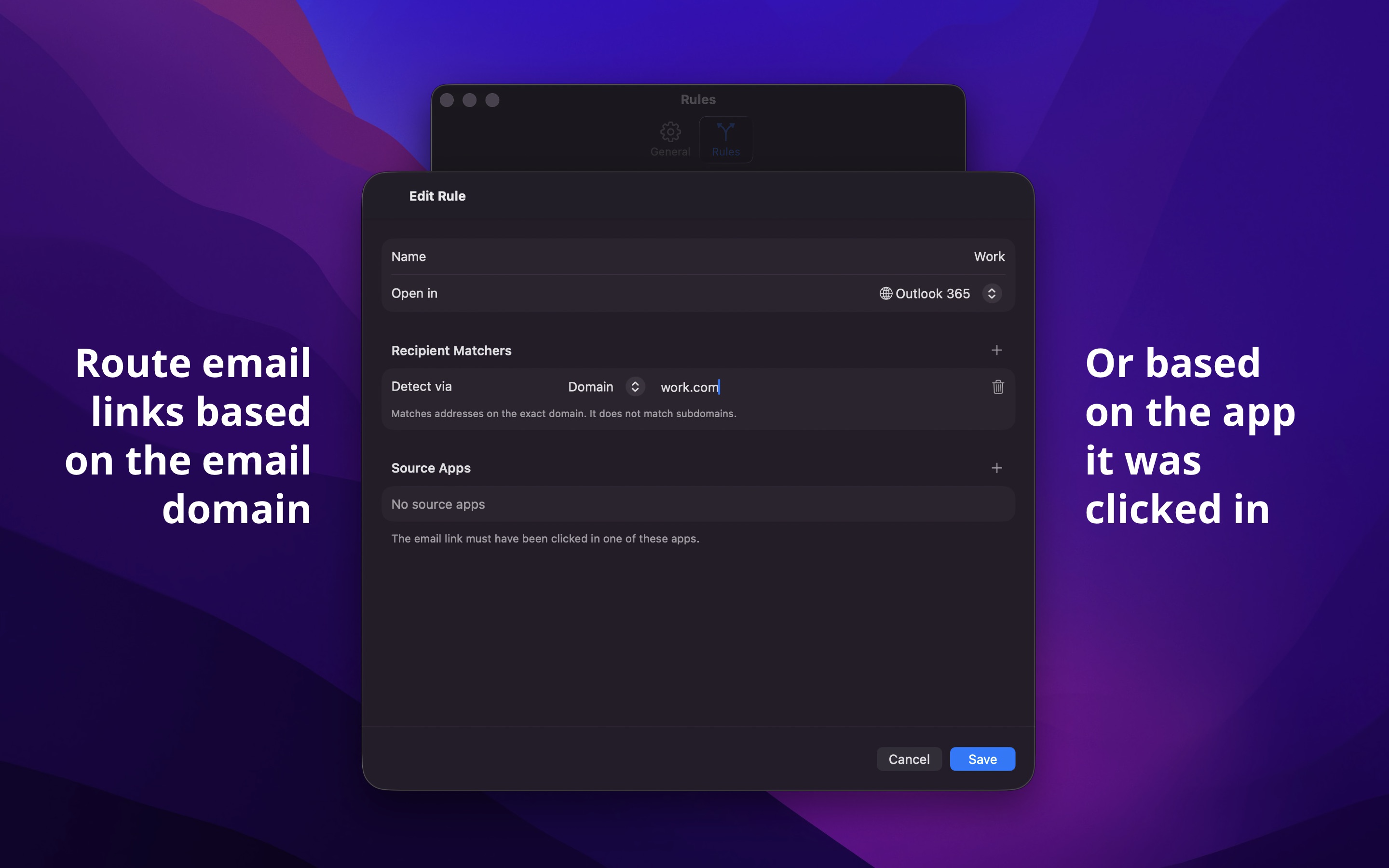
Pick your primary email app, add optional rules, and every mailto link goes to the right place.
Works system-wide, not just in the browser. The app doesn’t need to stay running. It launches only when you click a mailto link, routes it, and quits. Zero CPU and memory usage when idle.
TIP
You may also like my Velja app, which does the same but for browser links.
Example use-cases
- Use Gmail for work emails and Apple Mail for everything else
- Open emails to a specific domain in Outlook
- Route mailto links clicked in Slack to Gmail
- Use Fastmail for personal email and a custom webmail URL for your self-hosted email
Webmail
The app opens the compose window directly in your browser with the recipient, subject, and body pre-filled.
Built-in support for:
- Gmail (including custom domains)
- Fastmail
- Outlook 365
- Outlook.com
- Yahoo
- Yandex
- AOL
- Zoho
Any other webmail service can be added using the “Custom URL” option with URL template variables. I’m happy to add built-in support for more providers. Just send me a link to their compose URL documentation.
Tip: Use Velja with a rule where Mailway is the source app to open webmail links in a specific browser or browser profile.
Copy to Clipboard
Don’t want to open anything? Set the target to “Copy to Clipboard” and clicking a mailto link will copy the email address to the clipboard instead.
Tips
Alternative email app
Hold a Fn key when clicking a mailto: link to use an alternative email app, bypassing all rules.
Shortcuts
The app provides Shortcuts actions for composing emails, getting and setting the primary and alternative email targets, and enabling or disabling rules. You can use these to automate your email workflow.
Frequently Asked Questions
I have a feature request, bug report, or some feedback
Click the feedback button in the app or send it here.
Why do I need to set the app as the default email app?
The app works by being the system default email app. This is the only way macOS allows an app to intercept and route mailto links.
Do I need to create rules?
No. If you just want all mailto links to open in a single email app or webmail service, set it as your primary target and you’re done. Rules are optional.
Can I set different email apps for work and personal use?
Yes. Create a rule that matches your work domain (e.g., company.com) and set it to open in your work email app. Everything else goes to your primary email app.
Does it work with third-party email apps like Spark or Airmail?
Yes. The app works with any email app installed on your Mac that handles mailto links.
Can you provide an interactive picker to choose the email app each time?
No. The app is designed to be set-and-forget. You configure your primary email app and rules once, and it routes mailto links automatically. There are no plans for an interactive prompt.
How can I open a mailto link in a specific browser or browser profile?
Use Velja and create a rule with Mailway as the source app to open webmail links in a specific browser or browser profile.
Can I use different email apps for different recipients?
Yes. Create rules in the Rules tab to route emails by recipient address, domain, or subdomain.
Can I route based on which app the link was clicked in?
Yes. When creating a rule, you can add source apps as a condition. For example, route all mailto links clicked in Slack to Gmail. A rule doesn’t need recipient matchers, so you can match by source app alone.
Does it handle mailto links with multiple recipients?
Yes. All recipients, including CC and BCC, are passed through to the email app or webmail service.
I clicked an email address but nothing happened
Make sure the app is set as the default email app in the settings. Also verify the link is an actual mailto: link and not a web form or a plain text email address.
My webmail opens with an empty compose window
The webmail service may not support all URL parameters. Try a different webmail option or use the “Custom URL” option to adjust the compose URL for your service.
Can you add support for my webmail service?
The app already supports any webmail service through the “Custom URL” option. Set it to the compose URL of your service using URL template variables: {to}, {cc}, {bcc}, {subject}, {body}, {mailto}, and {domain}.
If your service doesn’t have a public compose URL, there’s unfortunately nothing the app can do. Contact them and ask for one.
Does it work with Proton Mail?
If you have the Proton Mail desktop app installed, you can select it as your email app in the settings. Proton Mail does not provide a public web compose URL, so the webmail option is not available. Vote for it here.
Can I match rules by the email subject or body?
No. Rules can only match by recipient (email address, domain, or subdomain) and source app.
Can I use regex in rules?
No. Rules use exact email matching, domain matching, or domain suffix matching. For most use-cases, domain matching is sufficient.
Does the app collect any data?
No. The app is sandboxed and does not collect, store, or transmit any data.
How do I go back to Apple Mail?
Change the default email app back to Apple Mail in “System Settings › Default Apps”.
Can you add a “Launch at login” setting?
It’s not needed. Unlike Velja, Mailway does not run in the background. It launches only when you click a mailto: link, routes it, and quits right away. There’s nothing to keep running, so there’s no “Launch at login” setting.
How is it different from Velja? Why isn’t it part of Velja?
Velja routes browser links (URLs) to different browsers and apps. Mailway routes mailto: links to different email apps and webmail services. Keeping them separate means each app stays focused and simple. They work great together though.
How does it compare to Open In Webmail?
Mailway benefits:
- Route to native email apps, not just webmail
- Rules based on recipient, domain, or source app
- Alternative email target with modifier key
- Shortcuts actions
- Actively maintained
Open In Webmail benefits:
- Built-in support for choosing browser. Mailways defers to Velja for that.
Get Mailway
Route mailto links to any email app or webmail
$4, one-time purchase