Updated
How to Show Multiple Time Zones in the Mac Menu Bar
With Zone Bar
- Open Zone Bar, click its icon in the menu bar, and click the add button. The “Time Zones” settings open with the time zone picker.
- Search for a city or a UTC offset, and choose it. A window opens for the time zone.
- Turn on “Show in menu bar”, and click “Save”.
- To add more clocks, click “Add Time Zones” in the settings, and do steps 2 and 3 again. You can show up to 10 clocks in the menu bar.
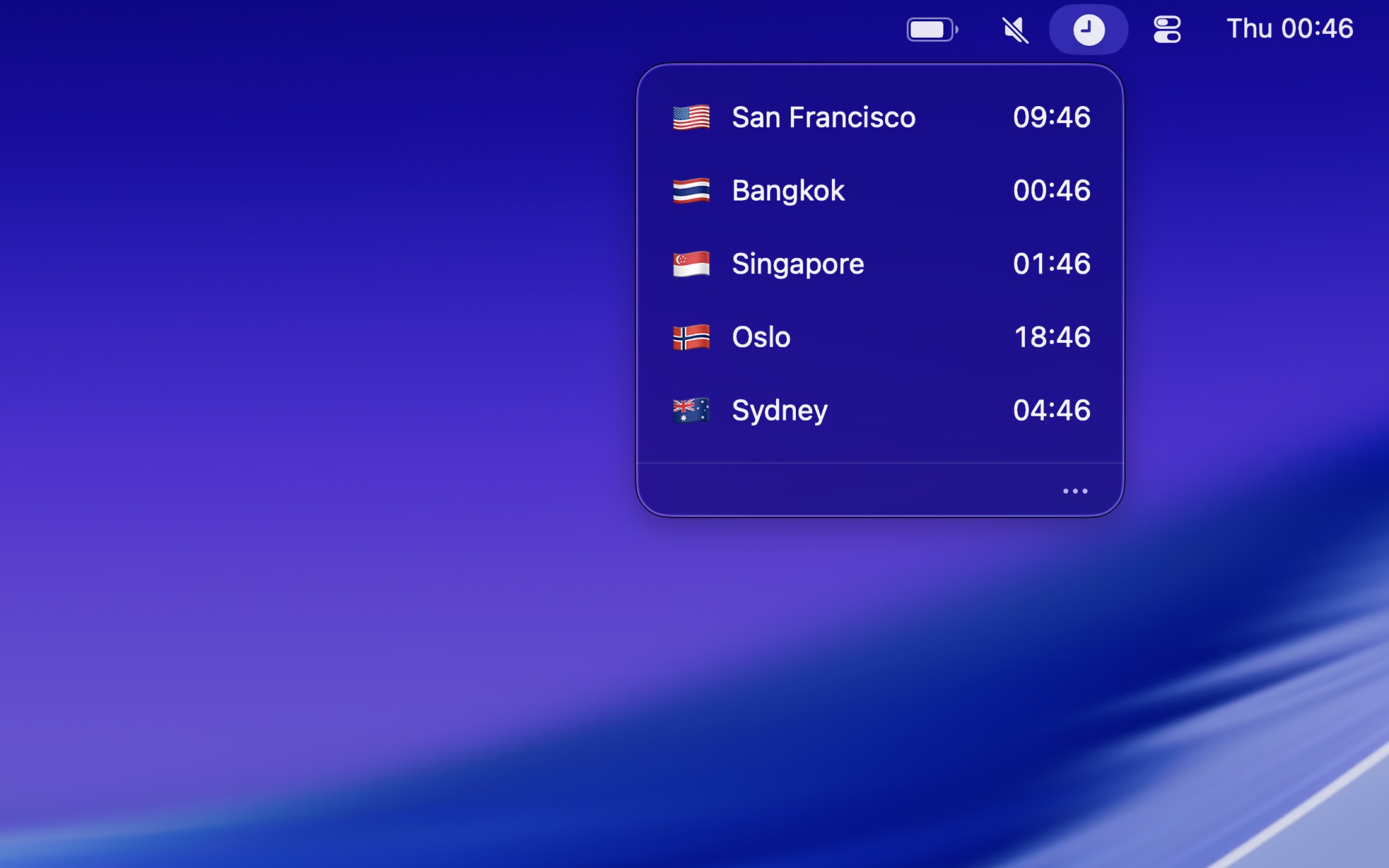
Each clock is a menu bar item of its own. Click a clock to see all your time zones, and drag the time travel slider to see the time hours from now, for example before you plan a call. You can give each clock a name, like “Tokyo Office” or “Mom”, and an emoji. The clocks follow daylight saving time, and work offline. Only the search for a city uses the internet.
With Second Clock
If you need only one more time zone, the free Second Clock shows one clock next to the clock of macOS. Choose the time zone in its settings, and add a prefix, like SF or a flag emoji, in “Prefix text”.
With Dato
Dato replaces the menu bar clock with a calendar, your events, and world clocks. To show a time zone in the menu bar, go to “Time Zones” in the Dato settings, add a time zone, and check “Show in menu bar” in its edit window. More about time zones in Dato.
Get Zone Bar
World clocks in your menu bar

$4, one-time purchase
- Platform
- macOS
- Requires
- macOS 26.1 or later
- Category
- Utilities
- Released
- November 2025
- Privacy
- No data collected
- Developer
- Sindre Sorhus
Without an app
The menu bar clock of macOS shows only the time zone of your Mac. To see other time zones:
- Clock app: Open the Clock app, click “World Clock”, and add the cities.
- World Clock widget: Add the World Clock widget of the Clock app to the desktop or to Notification Center. Control-click the desktop, choose “Edit Widgets…”, and search for “World Clock”.
The widget is good when you look at the time in other cities only sometimes. To see the time while you work in a full window, the time must be in the menu bar, so use an app.