← Back to Today
Updated
How to Show Calendar Events in the Mac Menu Bar
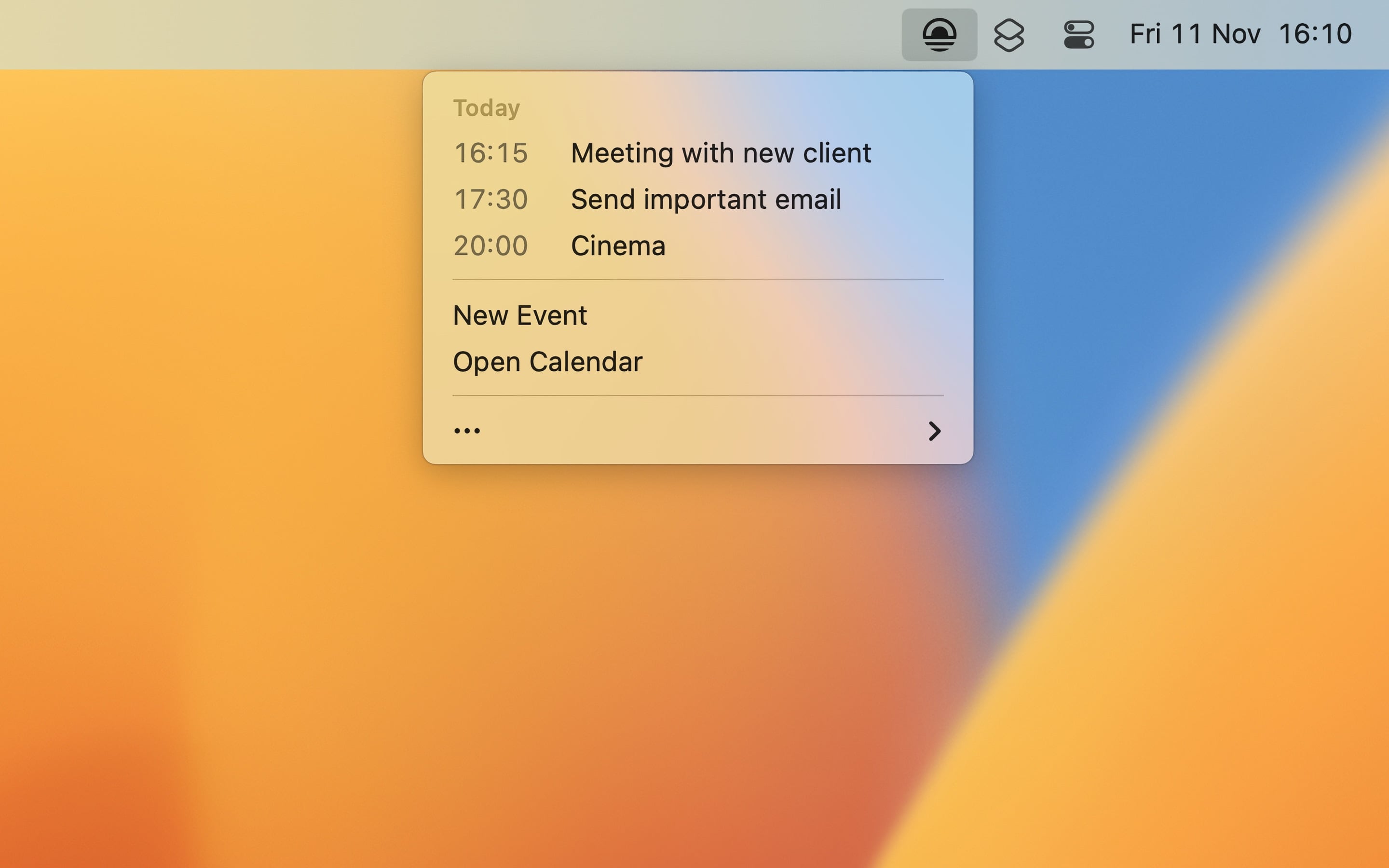
With Today
- Open Today. Its icon is in the menu bar.
- Click the icon to see the events of today.
- Click an event to show it in the Calendar app, or join an upcoming video call from the menu.
Today shows the events of the calendars in the Calendar app, so to show Google Calendar or Outlook events, add the account to the Calendar app, and turn on its calendars in the Today settings. You can also show the end times, the past events of today, and the first event after today (“Next up”).
To also show the next event, a calendar of the month, and world clocks in the menu bar, use Dato. How to show a calendar in the menu bar.

Get Today
Today’s schedule in your menu bar

Free
- Platform
- macOS
- Requires
- macOS 26.1 or later
- Category
- Productivity
- Released
- October 2022
- Privacy
- No personal data collected
- Developer
- Sindre Sorhus
Without an app
The Calendar app has widgets that show your next events:
- Click the date and time in the menu bar to open Notification Center.
- At the bottom, click “Edit Widgets”.
- Search for “Calendar”, and add a widget that shows your events.
You can also drag the widget to the desktop. A widget is good when you look at your day sometimes. When windows cover the desktop, the menu bar is faster, as it is always visible.