← Back to Menu Drop
Updated
How to Add AirDrop to the Mac Menu Bar
With Menu Drop
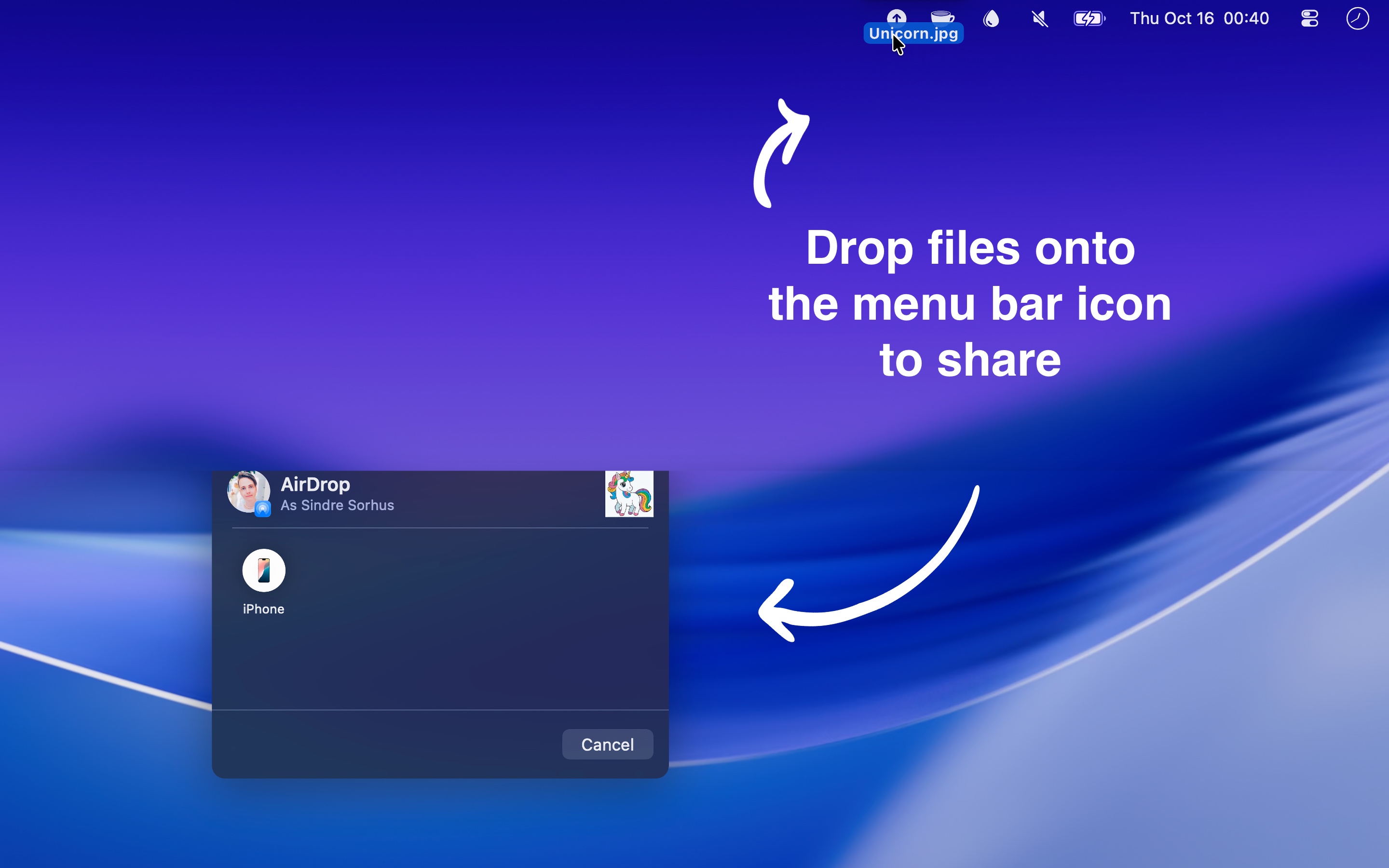
- Open Menu Drop. Its icon is in the menu bar.
- Drag a file, a folder, a link, or text to the icon, and release it on the icon.
- Choose the device or the person in the AirDrop window.
You can also click the icon, and choose “Clipboard” or “Files” below “Share From”, to send what you copied, or files that you choose. To send a link from Safari, drag the address from the address bar to the icon.
Tips
- Set keyboard shortcuts for “Share from clipboard” and “Share from files” in the “Shortcuts” settings.
- On macOS 27, Mission Control opens when you hold a dragged item at the top of the screen for a moment. Release the item as soon as the pointer is on the icon. If Mission Control opens, release the item, and press Esc. The AirDrop window is behind it.
- Menu Drop cannot choose the device for you. You always choose it in the AirDrop window.

Get Menu Drop
Quick AirDrop sharing in your menu bar

Free
- Platform
- macOS
- Requires
- macOS 26 or later
- Category
- Utilities
- Released
- October 2025
- Privacy
- No data collected
- Developer
- Sindre Sorhus
Without an app
The AirDrop control in the menu bar
- Click Control Center in the menu bar.
- Control-click “AirDrop”, and choose “Add to Menu Bar” or “Copy to Menu Bar”.
Click this item to turn AirDrop on or off, and to choose who can find your Mac: “Contacts Only” or “Everyone”. It does not send files, and you cannot drop files on it.
Send a file with AirDrop
- Share menu: Control-click the file in Finder, choose “Share…”, and choose “AirDrop”. Then choose the device.
- AirDrop window: In Finder, choose “Go › AirDrop”, or press ShiftCommandR. Drag the files to the device or the person in the window. AirDrop is also in the sidebar of Finder windows.
These ways work well when you are already in Finder. Menu Drop is for when you send files often, as the menu bar is always there, and it also sends links and text.