
Amazing AI
Generate images from text using Stable Diffusion
Describe the image you want, and the app makes it for you.

FreeAvailable on macOS, iOS, and visionOSRequires version 26 or laterSince 2022No personal data collected
Scan with your iPhone to open Amazing AI on the App Store
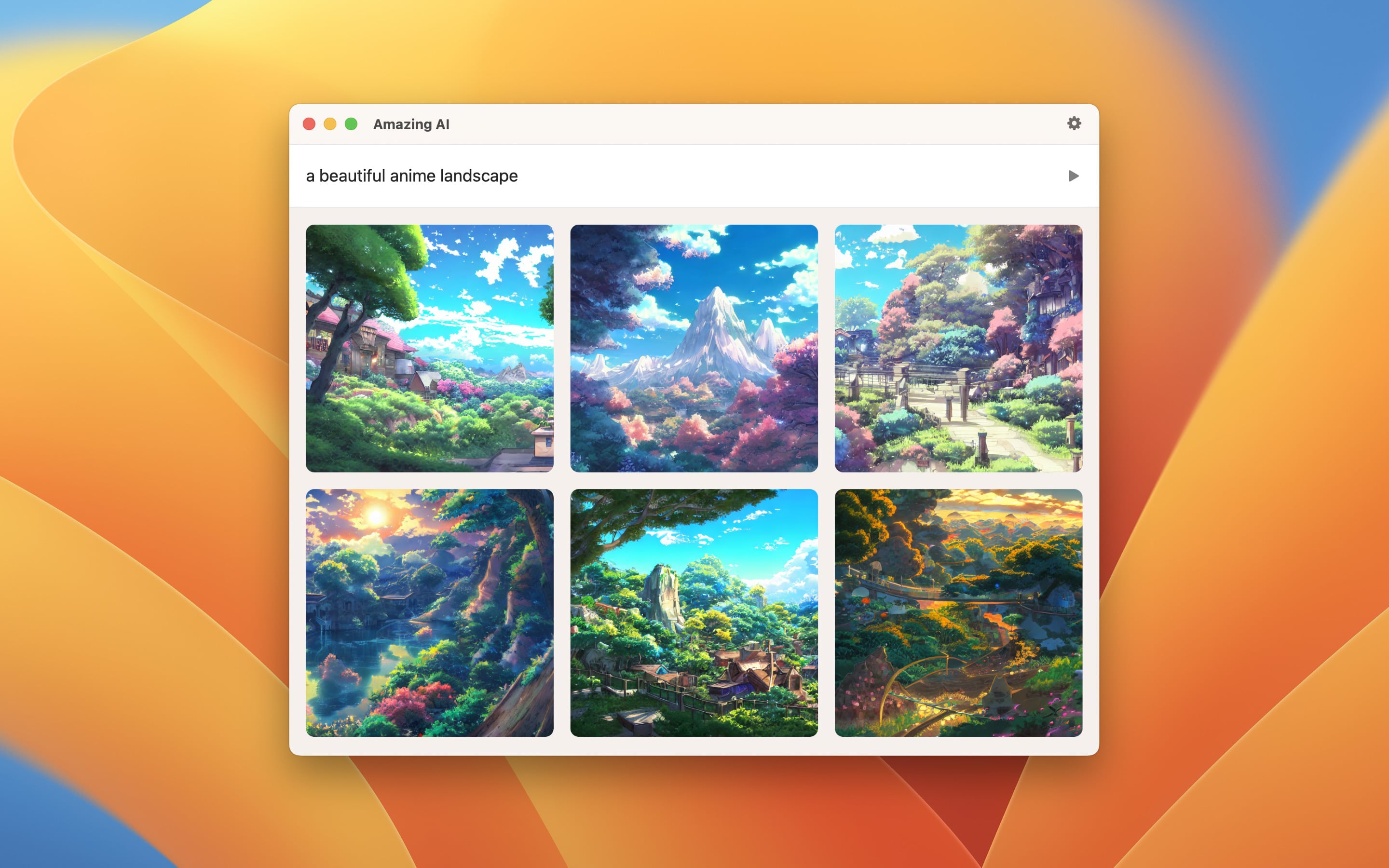
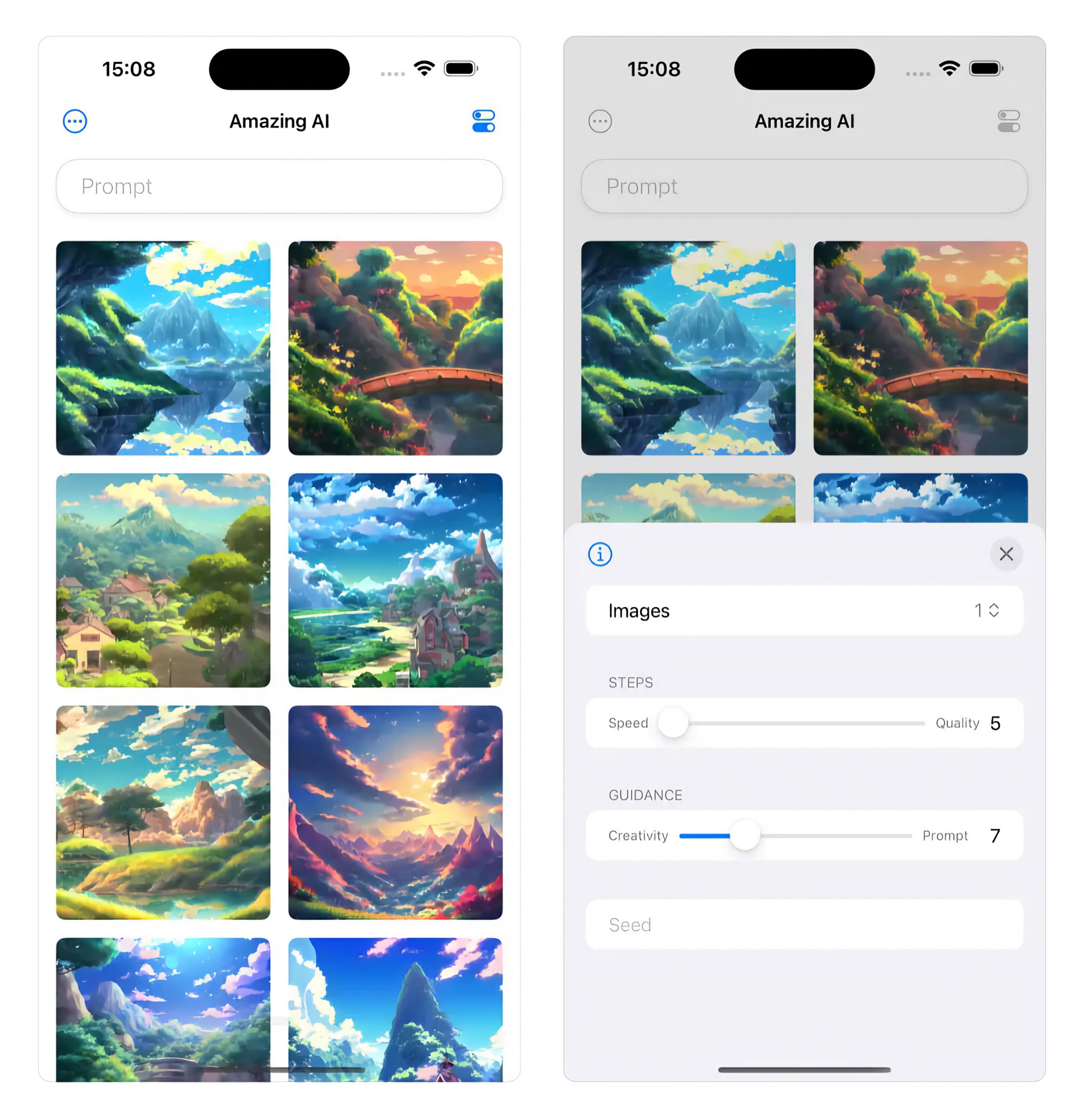
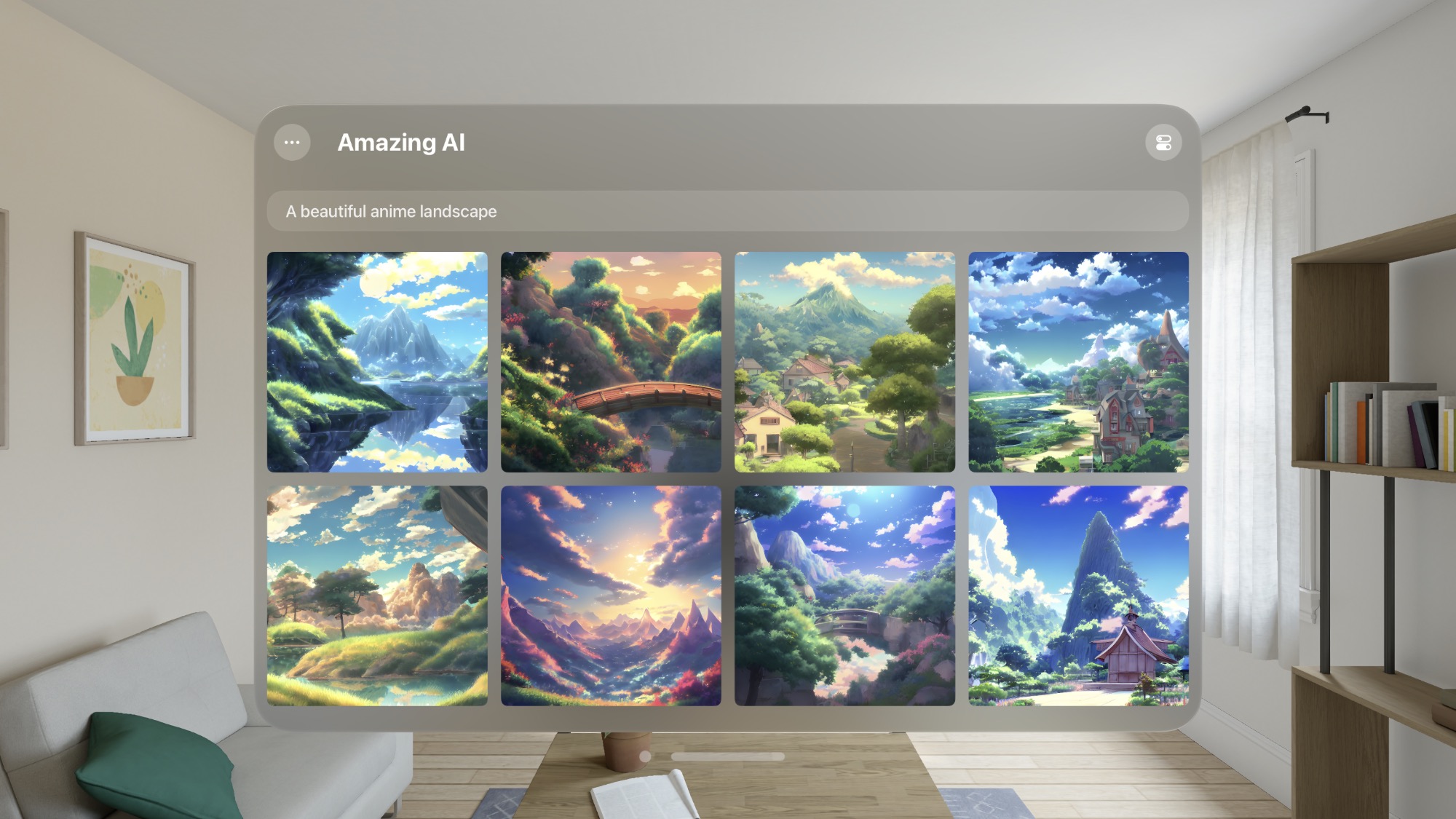
Like the already available free competitors DiffusionBee and AI Photo, Amazing AI has no cloud dependencies and runs completely locally.
It runs locally on your device.
Note: It uses Stable Diffusion 1.5, which is flexible, but it requires a detailed description to generate a usable image.
WARNING
On macOS, the app is developed exclusively for Apple silicon. It is NOT compatible with devices running on Intel chips.
On iOS, it requires at minimum an iPhone 15 Pro or iPad with an M1 processor.
TIP
Check out my Imago app, which uses Flux 2 instead — a much better model.
Stable Diffusion is a deep learning, text-to-image model used to generate detailed images conditioned on text descriptions.
The app is highly optimized and runs on the Apple Neural Engine.
Recent Reviews, all with five stars
Rated 4.7 out of 5 from 11 ratings on the App Store
Fantastic Results for a Free Desktop App
The results are quite good. My only request would be to enable multithreading so that all the computational units of the M1/M2 processors can be used.
Very simple and useful
Just give it a few words and watch it go! It does use a lot of battery on my M2 Air. But that is expected with the work it’s doing. Totally worth it, though.
Simple and turnkey way to generate images locally
It’s also really neat to see the image generating at multiple stages! Looking forward to Stable Diffusion 2.0 support!
Exactly what I wanted
I have wanted a way to play with stable diffusion locally for a while, but never got around to setting something up myself. This app lets me experiment and play without any of the tech baggage normally associated with this stuff.
Tips
Preview
Click a thumbnail to view a larger version of it. Click again to exit.
Negative prompt
To write a negative prompt (what to exclude), write ## after your prompt, followed by your negative prompt. For example, “photo of a cake, high-quality ## strawberry, out of frame”, where strawberry, out of frame is your negative prompt. Anything after the ## is your negative prompt. You only write ## once.
Keyboard shortcuts
On macOS, when in preview mode, there are some keyboard shortcuts available:
- ◀ — Previous image
- ▶ — Next image
- Space — Save image
- CommandC — Copy image
- Esc — Exit preview
Metadata
On macOS, when you save a generated image, it includes a lot of useful metadata (prompt, steps, etc). You can view this in Finder by right-clicking the image file and selecting “Get Info”. The file also includes some relevant tags which can be used to create smart folders.
Frequently Asked Questions
I have a feature request, bug report, or some feedback
Click the feedback button in the app or send it here.
Why not use Stable Diffusion 3?
When I tried it, it gave worse results than 1.5. For a better model, check out my Imago app.
Why does the app require Apple silicon for Macs?
The app takes advantage of recent optimizations by Apple.
Why does the app require at least iPhone 15 Pro and iPad M1?
Generating images with Stable Diffusion requires a lot of system resources. It would not be a good experience on older devices. It could probably run fine on iPhone 15 and iPhone 14 Pro, but Apple does not let us do such a fine-grained requirement. Either I require these devices, or I have to support all devices that can run the app, including those that are not nearly powerful enough.
What are the usage restrictions for the generated images?
You can use the images for commercial or non-commercial purposes, but you must adhere to the Creative ML OpenRAIL-M license’s usage restrictions. These restrictions include not using the images for illegal activity, false information, discrimination, or medical advice.
Can it generate images with aspect ratios other than a square?
The Stable Diffusion library used by this app only supports squares.
Why is the first image slow?
The first generation after installing the app may take longer due to model validation.
The image was “deemed not safe for all ages”, but my prompt is harmless
The safety check sometimes also blocks harmless images. Generate again, or change some words of the prompt. If you set a “Seed”, remove it first, as the same seed makes the same image.
Why is this free without ads?
I just enjoy making apps. Consider leaving a nice review on the App Store.
How can I turn off automatic filename suggestions when saving?
On macOS:
- Open Finder.
- Click Finder in the menu bar, then Settings.
- Go to the General tab.
- Uncheck “Suggest file names”.
Can you support custom models?
I don’t plan to support this. This app is intentionally simple. There are many other apps that support custom models.
Can you support inpainting/outpainting?
I don’t plan to support this. Draw Things supports inpainting, outpainting, and custom models.
Why can it not generate adult images?
The app would not be allowed on the App Store if it allowed creating such images.
Why does it take so long to generate?
Several factors can affect the speed of image generation, including the performance of your device and the amount of available memory and CPU. Try closing down other apps or restarting your device before generating images.
Why does the app take up so much space on disk and memory?
The AI model used to generate images is large. This is reasonable given the model’s capabilities.
Are the generated images marked as AI-generated?
Yes. Images that you save, share, drag out, or get from Shortcuts have the IPTC digital source type “trainedAlgorithmicMedia” in their metadata (the XMP property Iptc4xmpExt:DigitalSourceType). This machine-readable mark tells other software that the image was made by AI. It is there because of the EU AI Act (Article 50(2)). The app adds it even when “Include prompt in image metadata” is off. To see it, use a metadata viewer such as ExifTool: exiftool -DigitalSourceType image.
The mark is metadata only. Copied images do not have it. It is lost when you take a screenshot of the image, and it can be lost when you convert the image to a different format or upload it to a website that removes metadata. The app does not add C2PA Content Credentials or an invisible watermark.
Older Versions
Non-App Store Version
A special macOS version for users that cannot access the App Store. It won’t receive automatic updates. I will update it here once a year.
Download (1.7.0)
Requires macOS 26 or later
Get Amazing AI
Generate images from text using Stable Diffusion
Free
- Platforms
- macOS, iOS, visionOS
- Requires
- macOS 26 or later, iOS 26 or later, visionOS 26 or later
- Category
- Graphics & Design
- Released
- December 2022
- Privacy
- No personal data collected
- Developer
- Sindre Sorhus