
Menu Bar Calendar
A monthly calendar, one click away
Click the menu bar icon to see a monthly calendar. Click a date to open it in the Calendar app or Google Calendar, or right-click a day to create an event.

FreeRequires macOS 26 or laterSince 2023No data collected
Scan with your phone to open this page
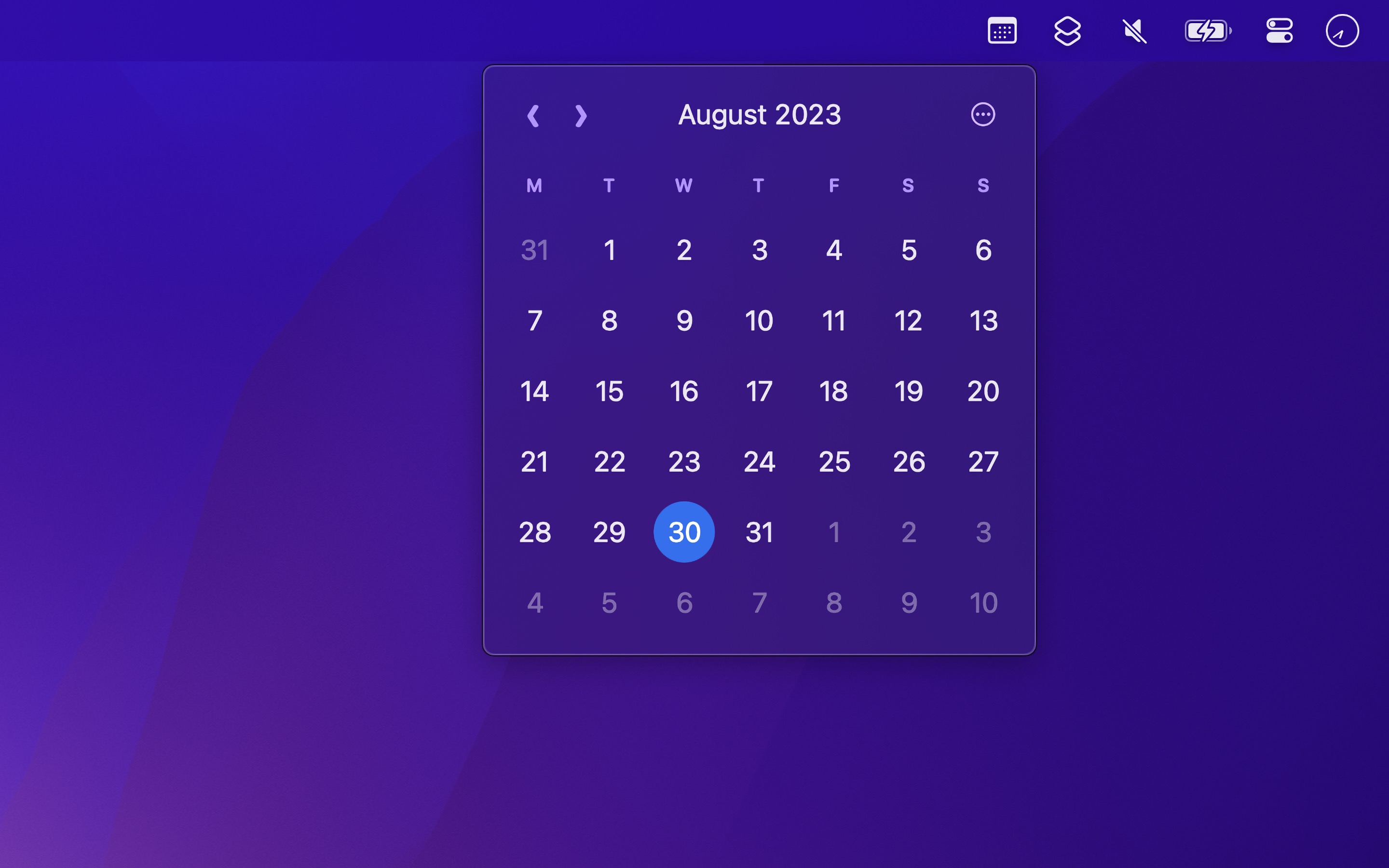
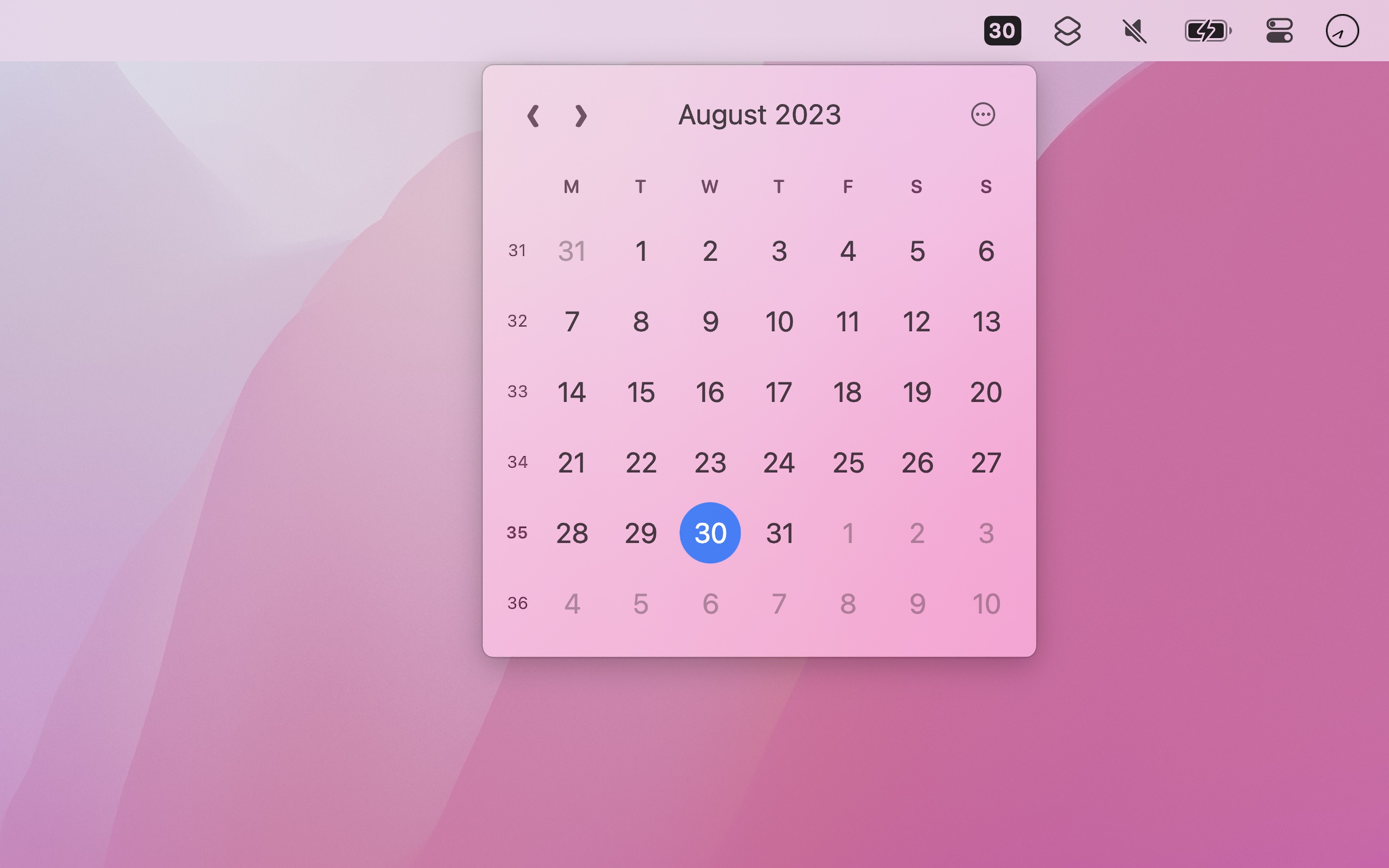
With Menu Bar Calendar, developer Sindre Sorhus presents his latest free project. […] Sorhus’s Menu Bar Calendar does no more and no less than provide this monthly overview.
The app is intentionally simple. Check out Dato for more features and settings.
The calendar displays dates and days in your language, but the rest of the app is in English.
Recent Reviews, all with five stars
Thank you.
It’s a wonderful widget app that is free. Thank you for the generosity to create it and then give it away for free. It works perfectly as advertised and the UX is just right.
Great Quick View Calendar!
Made my Mac experience much better, thank you!
Awesome
Exactly what I was looking for. Very aesthetic and just awesome. Thank you devs!
Excelent
Simple and effective. Does the job beautifully.
Tips
- Go to today (current month): Click the month name or press the Space key.
- Switch months: Press arrow keys or swipe horizontally on the calendar.
- Switch years: While holding the Option key, click the
‹/›button, press arrow keys, or swipe horizontally on the calendar. - Close calendar window: Press the Esc key.
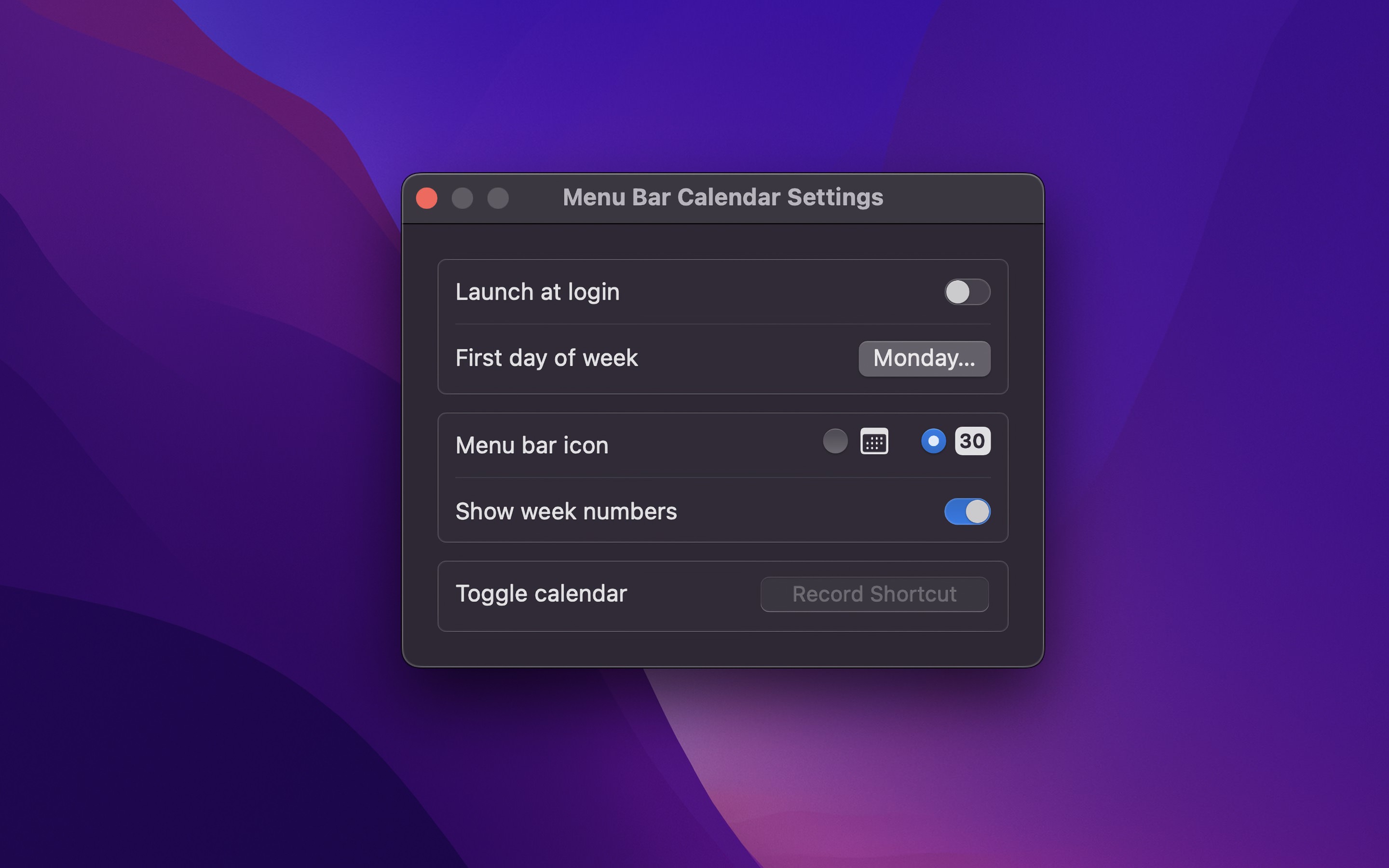
- Open the calendar from any app: Set the “Toggle calendar” keyboard shortcut in the settings.
- Show the date in the menu bar: Choose a “Menu bar style” with the date in the settings.
- Open date in the Calendar app (or Google Calendar): Click a date in the calendar.
- Open week in the Calendar app (or Google Calendar): Click a week number in the calendar.
- Go to a specific date: Right-click the month name or press G.
- Create new event on a specific day: Right-click the day in the calendar.
- Copy the date for a day in the calendar: Right-click the day in the calendar.
Frequently Asked Questions
I have a feature request, bug report, or some feedback
Click the feedback button in the app or send it here.
Can macOS do this without an app?
Partly. Click the date and time in the menu bar to open Notification Center, and add the Calendar widget to it. The widget shows the current month, but you cannot go to other months.
Menu Bar Calendar shows a monthly calendar with one click, lets you go to any month or year, and opens a date in the Calendar app or Google Calendar.
What does Dato add?
My Dato app adds:
- Highlighting certain days of the week (this app can dim the weekend)
- Widgets
- The time in the menu bar, with a custom format
- Your calendar events and reminders
- World clocks
Why does it open on another month?
The calendar shows the month that you looked at last. To go back to the current month, click the month name or press the Space key.
Can it open Zoho Calendar instead of Apple/Google Calendar?
No. Zoho Calendar does not support opening to a specific date via URL, so this integration is not possible. You can, however, sync your Zoho Calendar to the macOS Calendar app and then use the “Show in Calendar” click action.
How can I open Google Calendar in a specific browser?
Use my Velja app. You can create a rule to open any link clicked in this app in your chosen browser.
How can I scroll to switch months?
You can swipe horizontally to switch months.
If you don’t have a trackpad, there are apps that let you make scrolling trigger swipe.
Why is this free without ads?
I just enjoy making apps. Consider leaving a nice review on the App Store.
Why does it not show week 53?
You are probably expecting ISO week-numbering while having your system set to Gregorian week numbering. You can change it in “System Settings › General › Language & Region”: set “Calendar” to ISO 8601 for ISO week numbers, or to Gregorian for Gregorian week numbers. With Gregorian, the “First Day of Week” setting in the same pane also changes the week numbers.
Why does it show the last days of December as week 1?
That is called ISO week-numbering.
It shows the incorrect week number
You are probably expecting ISO week-numbering while having your system set to Gregorian week numbering, or the inverse. You can change it in “System Settings › General › Language & Region”: set “Calendar” to ISO 8601 for ISO week numbers, or to Gregorian for Gregorian week numbers. With Gregorian, the “First Day of Week” setting in the same pane also changes the week numbers.
How can I change the week number to ISO 8601 format?
Go to “System Settings › General › Language & Region”, and set “Calendar” to ISO 8601.
Older Versions
Non-App Store Version
A special version for users that cannot access the App Store. It won’t receive automatic updates. I will update it here once a year.
Download (1.7.1)
Requires macOS 26 or later
Get Menu Bar Calendar
A monthly calendar, one click away
Free
- Platform
- macOS
- Requires
- macOS 26 or later
- Category
- Productivity
- Released
- August 2023
- Privacy
- No data collected
- Developer
- Sindre Sorhus