Updated
How to Transcribe Audio to Text on Mac
With Aiko
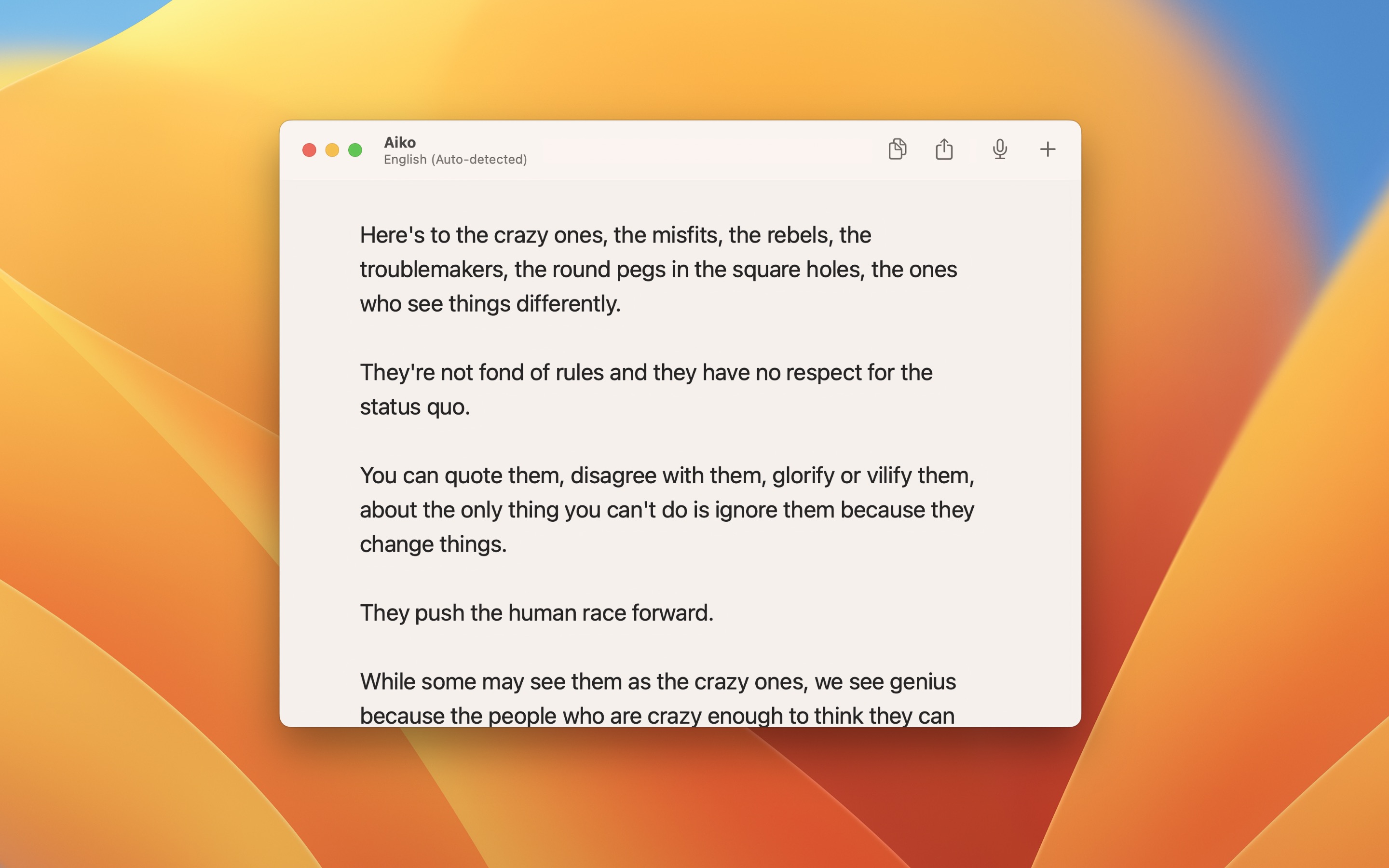
- Open Aiko, and drop the audio or video file on its window, or click “Import”. To record now, click “Record”.
- Wait while Aiko transcribes. A long recording takes some minutes.
- Click the export button in the toolbar, and choose a format, like “Text”, “Text with Timestamps”, or “SRT (Subtitles)”. Or copy the text.
Aiko opens the audio and video formats of macOS, like M4A, MP3, WAV, MP4, and MOV. It uses the Whisper model of OpenAI on your Mac, so your audio is never uploaded. It finds the language itself, or you can choose it in the settings, and it can also translate the speech to English.
Tips
- To transcribe a recording of Voice Memos, drag it from Voice Memos to the Aiko window.
- To transcribe a file from Finder, add the shortcut for Finder, Control-click the file, and choose the shortcut in “Quick Actions”. To transcribe many files, use the batch shortcut.
- If the text has no punctuation, write a sentence with punctuation, like
Hello. I like cake., in the “Prompt” setting.
Aiko is also on iPhone, iPad, and Apple Vision Pro. Try it free for 14 days with the trial.
Get Aiko
AI-powered audio transcription

$24, one-time purchase for all platforms
- Platforms
- macOS, iOS, visionOS
- Requires
- macOS 26.6 or later, iOS 26.6 or later, visionOS 26.6 or later
- Category
- Productivity
- Released
- March 2023
- Privacy
- No data collected
- Developer
- Sindre Sorhus
Without an app
macOS can transcribe the recordings that you make in some of its apps:
- Voice Memos: Record a memo, and click the transcription button to see the text. To copy the text, Control-click the recording in the list, and choose “Copy Transcript”. It needs a Mac with Apple silicon.
- Notes: Record audio in a note, and Notes writes a transcript while you record. It needs a Mac with Apple silicon, and the language of the Mac must be a supported one, like English, Spanish, French, German, Japanese, or Chinese.
Audio transcription is not available in all countries or regions, and it supports fewer languages than Aiko. It is good for a quick memo in a supported language. For a file that you already have, like a recorded meeting, a lecture, or a video, or for subtitles, use Aiko.