Spaced
Organize your menu bar items into groups
Add separators to your menu bar, so related items sit together in groups.

FreeRequires macOS 26 or laterSince 2023No data collected
Scan with your phone to open this page
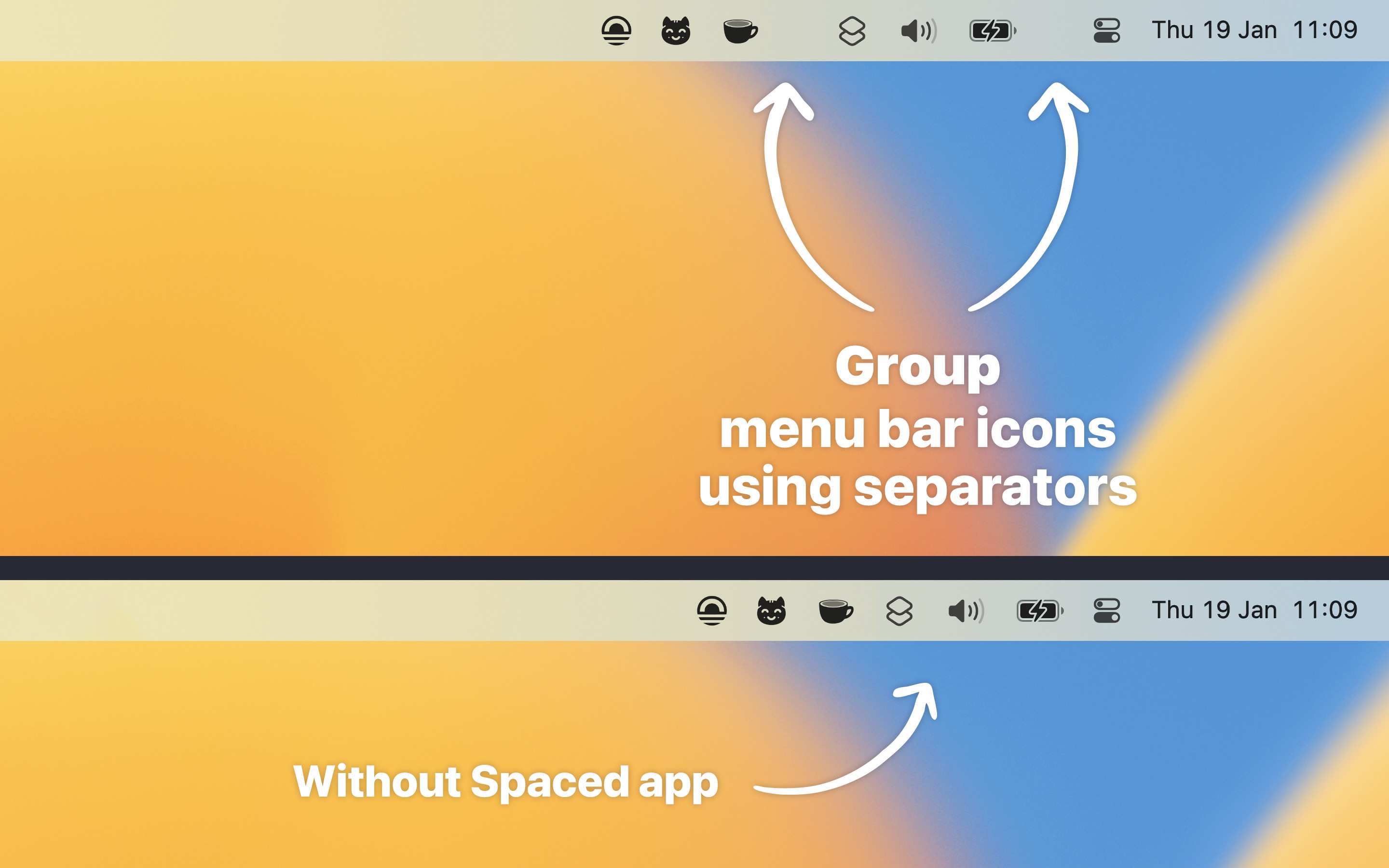
Developer Sindre Sorhus remains busy in the new year and has released his first project of 2023 with the menu bar app Spaced. The app aims to bring more order and clarity to the menu bar.
The (very) prolific developer Sindre Sorhus has built Spaced, an app whose job is to add separators to the menu bar to create groups of icons.
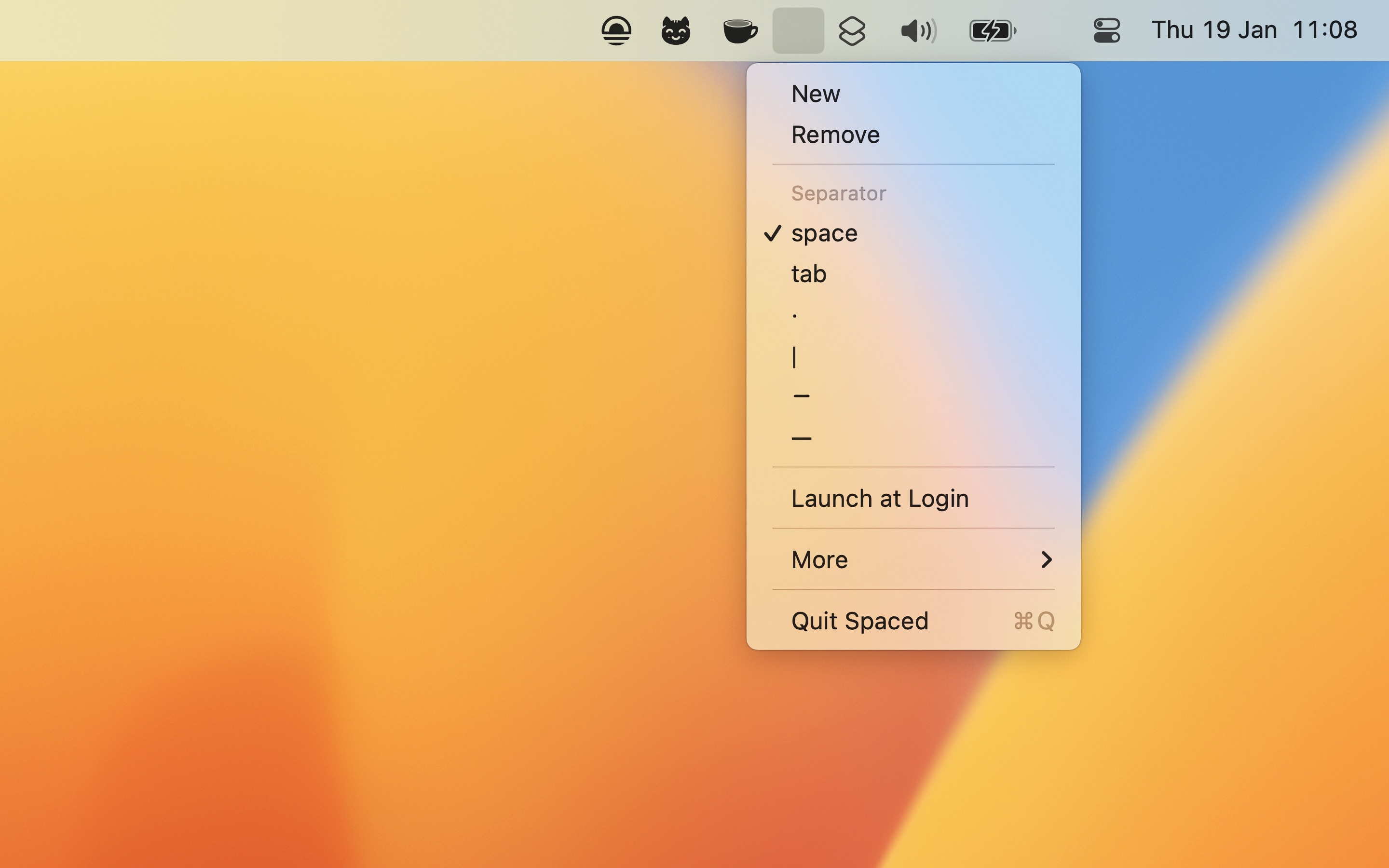
Click a separator and choose “New” to add another one. To move a separator, hold Command and drag it.
It is particularly beneficial on larger screens where menu bar space is ample, as opposed to smaller laptop screens with limited space.
TIP
You may also like my Menu Bar Spacing app for changing the gap between menu bar items.
Recent Reviews, all with five stars
Great little App for free
My menu bar looks so much better with some spacings inserted where I want. Thanks for this free App, it’s really appreciated.
Does the job simply and well
My menu bar is now so much easier to read. I can group menu items, and then split them with a deliinator (and get to choose what the deliniator looks like). Perfect. Highly recommended.
Beautiful and minimal, great!
Such a great little functionality this app provides!
Simply Spaced
Simple, easy to use, nice options for spacer symbols. Spaced just does what it says it does.
Frequently Asked Questions
I have a feature request, bug report, or some feedback
Click the feedback button in the app or send it here.
The spacer positions are not saved after restarting
Spacer positions are saved and restored by macOS, not the app. Menu bar manager apps like Bartender, Ice, and Thaw are known to interfere with this. Try quitting any such app and see if positions are then saved correctly.
Can you support more separator characters and wider spacers?
Already supported, but hidden for now because of a macOS alignment bug with characters padded by spaces. Hold OptionShift while clicking the menu bar icon to be able to specify custom separator.
Can the app also support grouping icons in the Dock?
You can do that with my Supercharge app.
Why is this free without ads?
I just enjoy making apps. Consider leaving a nice review on the App Store.
Older Versions
Non-App Store Version
A special version for users that cannot access the App Store. It won’t receive automatic updates. I will update it here once a year.
Download (1.3.0)
Requires macOS 26 or later
Get Spaced
Organize your menu bar items into groups
Free
- Platform
- macOS
- Requires
- macOS 26 or later
- Category
- Utilities
- Released
- January 2023
- Privacy
- No data collected
- Developer
- Sindre Sorhus